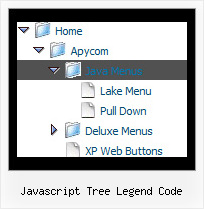
Recent Questions Javascript Tree Legend Code
Q: Thanks, we tried giving var pressedItem=0; and the script as below:
<script type="text/javascript">
onload=setPressed;
function setPressed()
{
dm_ext_setPressedItem (0,8,0,0);
}
</script>
We are facing 2 problems
1) Two menus are getting highlighted, the "Home" and the dynamic html menu which is called onLoad using dm_ext_setPressedItem (0,8,0,0); function)
2) The submenu of the dm_ext_setPressedItem (0,8,0,0) is not getting highlighted.
A: Try to set
var pressedItem=-2;
dm_ext_setPressedItem function has a following parameters:
function dm_ext_setPressedItem (menuInd, submenuInd, itemInd, recursion, parentOpen)
So, if you want to highlight item in the submenu you should use itemInd of this item (notitemInd of the parent item).
For example you want to highlight submenu item of the 'Manage Users' parent item with
itemInd=15.
You can find more info about dynamic html menu indexes here:
http://deluxe-menu.com/highlighted-items-sample.html#ind
So you should write the function in the following way:
dm_ext_setPressedItem (0, 3, 15, 1, 1)
menuInd = 0 if you have only one menu on the page
submenuInd = 3, see how to determine submenuInd in the table
http://deluxe-menu.com/highlighted-items-sample.html#ind
itemInd = 15, see how to determine itemInd in the table
http://deluxe-menu.com/highlighted-items-sample.html#ind
recursion = 1, to highlight parent items
parentOpen = 1, to open the submenu with the selected item.Q: Need the pricing text in the second-level css menu to be individually styled - ie needs to have colour change and float/align left.
A: You can use any html code for your menu items, so you can try to writeyour menuItems in the following way:
["|Company Registration - <span style='color: #AAA'> $537,50</span>","#", "", "", "", "", "", "", "", "", ],Q: I have an other question about Vista menus :
If the word is too long, the dhtml menu images are not correct.
Please look at the screenshot.
A: See images in Vista Templates have the fixed width and height (92 x 21).
You can try to use the following parameter to use combinedbackground for your items, for example:
var beforeItemImage = [,]; //left-side image for normal and mouse over state
var itemBackImage = [,]; //background or image for normal and mouse over state
var afterItemImage = [,]; //right-side image for normal and mouse over state
var beforeItemImageW = '';
var afterItemImageW = '';
var beforeItemImageH = '';
var afterItemImageH ='';
But you should create a small images in any Graph Editor, for example:
button_n_back.gif
button_n_left.gif
button_n_right.gif
button_o_back.gif
button_o_left.gif
button_o_right.gif
Q: I need to know if separate coloring of main items is possible in slide drop down menu.
A: You can create Individual Item styles and assign it for the top items,for example:
var itemStyles = [
["itemBackColor=#8080FF,#FFFF80","itemBorderStyle=solid,solid","itemBorderColor=#000080,#FF8000"],//style0
["itemBackColor=##FFFFF,#000000","itemBorderStyle=solid,solid","itemBorderColor=##AA0000,#0000EE"],//style1
];
var menuItems = [
["Item 1","", "", "", "", "", "0", "", "", "", "", ], //style0
["Item 2","", "", "", "", "", "1", "", "", "", "", ], //style1
["|Item 3","", "", "", "", "", "", "", "", "", "", ],
["|Item 4","", "", "", "", "", "", "", "", "", "", ],
["Item 5","", "", "", "", "", "0", "", "", "", "", ], //style0
["|Item 7","", "", "", "", "", "", "", "", "", "", ],
["|Item 8","", "", "", "", "", "", "", "", "", "", ],
["Item 6","", "", "", "", "", "1", "", "", "", "", ], //style1
];
You can find more info about individual item styles here:
http://deluxe-menu.com/individual-item-styles-info.html