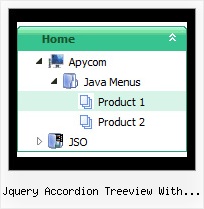
Recent Questions Jquery Accordion Treeview With Recursive Demo
Q: How do I make the main nav links in the dhtml navigation align left (they are center aligned).
A: Try to use the following parameter:
var itemAlignTop="left";Q: I am trying to create a multicolumn dhtml navigation menu and nothing appears when I upload it to my server. I am attaching my menu called menu.js that I have created and placed in a folder called menudir.
Can you please advise, thank you.
A: You can find more info here:
http://www.deluxe-menu.com/highlighted-items-sample.html
JavaScript Tree Menu has only two states normal and mouseover.
Try to do the following things:
- delete var pressedItem=1; parameter from your data file
- set correct parameter on each page before you call data file, forexample:
<noscript><a href="http://deluxe-menu.com">dhtml navigation menu by Deluxe-Menu.com</a></noscript>
<script type="text/javascript"> var dmWorkPath = "menudir/";</script>
<script type="text/javascript" src="menudir/dmenu.js"></script>
<script type="text/javascript"> var pressedItem=3;</script>
...
<script type="text/javascript" src="menudir/data.js"></script>
You can also set a pressed item using Javascript API:
function dm_ext_setPressedItem (menuInd, submenuInd, itemInd, recursion)
Sets a current pressed item.
menuInd - index of a menu on a page, >= 0.
submenuInd - index of a submenu, >= 0.
itemInd - index of an item, >=0.
recursion = true/false - highlight parent items.
But notice, to use dm_ext_setPressedItem() you should know ID of selected item and subitem. You can't get this ID after you reload your page. That is why you should write your own code on PHP.Q: I worked up some menus on my local machine and they work fine I want to push them to my server.
When I do, I don't see the menu that I saw on my local machine.
Instead, I see a hypertext link with a word that I used in one menu. What could be wrong?
Do I have to chmod the JS file? Do I have it mapped wrong. Is it because I am using a demo version?
A: Demo version of the menu has full functionality.
I can't find the call of dmenu.js file on deluxe-menu.htm and dmenu.js file in the "deluxe-menu_files" folder.
Please, upload this file on your server.
More info about the installation of the menu you can find here:
http://deluxe-menu.com/installation-info.html
Q: I am working in a Hispanic area, and need to be able to utilize specialcharacters
in titles in for navigation menus.
However, those are appearing distorted on my website.
A: Actually you can use any letters in the menu.
Please, check that you've set "Tools/Use utf8 encode".
When you save your data file in UTF8 you should use the same encoding on our html page.
So you should write:
<meta http-equiv="Content-Type" content="text/html; charset=utf-8">
If you don't want to use UTF-8 encode on your page you should turn off
"Tools/Use utf8 encode" property, save your data file and manually
change your letters in any text editor.