Recent Questions Jsp Tree Menu
Q: We had a strange problem with the menus when the sub menus are over applet in https: the applet disappeared.
After doing some Investigation in your code we noticed that you are using in HTTPS mode div instead of Iframe.
We would be happy if you can tell us why you are using div in this mode and if we will use http mode will it cause something that can affect the menus
A: Iframes don't work on https:// websites. You'll get warning message. That's why we're using <div> tag.If for some reasons a submenu can't drop down over an object the latterwill be hidden for a time when the submenu is shown.
If you use JavaScript Tree Menu on https:// website, submenus won't drop downover select boxes within iframe objects. It works fine on a non-secureservers only.
Q: How can I from javascript code change a displayed tab selection to another one in the dynamic menu tabs... lets say from first tab to the third tab?
A: This Tabs menu can save pressed item automatically within1 page only.
If you open another page, the menu can't remember presseditem.
You should do that manually using Javascript and menu parameters
( var bselectedItem and var var bselectedSmItem) or using any server-side script (php, asp, etc.)
Deluxe Tabs doesn't support API functions which can return theselected tab.
If your site is written on PHP you can set "bselectedItem" and "varbselectedSmItem" parameters
based on your link beforeyou call your data file.
For example, move "bselectedItem" and " var bselectedSmItem" parametersfrom your data file to your code.
<TD vAlign=top align=left>
/* Select Tab */
<script type="text/javascript" language="JavaScript1.2">
var bselectedItem=<?php echo $seltabs; ?>;
var bselectedSmItem=<?php echo $selsmtabs; ?>;
</script>
<SCRIPT src="data.js" type=text/javascript></SCRIPT>
</TD>
You should define seltabs and selsmtabs using server side script.
You can also set it on every page before you call data.js file, forexample:
<TD vAlign=top align=left>
/* Select Tab */
<script type="text/javascript" language="JavaScript1.2">
var bselectedItem=4;
var bselectedSmItem=3;
</script>
<SCRIPT src="data.js" type=text/javascript></SCRIPT>
</TD>
Try that.
Q: I was wondering how do i add more then five items on the top of the select menu javascript rathere then using a sub menu?
A: Actually you can add as many top items as you want.
Use Deluxe Tuner to add more items or add them in your data filemanually, for example:
var menuItems = [
["Item 1","whatsnew.htm", "Buttons/whatsnewup.jpg", "Buttons/whatsnewover.jpg", "", "", "", "", "", "", "", ],
["Item 2","test.htm", "", "", "", "", "", "", "", "", "", ],
["Item 3","index.htm", "Buttons/homeup.jpg", "Buttons/homeover.jpg", "", "_parent", "", "", "", "", "", ],
["Item 4","about.htm", "Buttons/aboutup.jpg", "Buttons/aboutover.jpg", "", "_parent", "", "", "", "", "", ],
["Item 5","commserv.htm", "buttons/commservup.jpg", "buttons/commservover.jpg", "", "_parent", "", "", "", "", "", ],
["Item 6","conference.htm", "buttons/conferenceup.jpg", "buttons/conferenceover.jpg", "", "_parent", "", "", "", "", "", ],
["Item 7","lodges.htm", "buttons/districtsup.jpg", "", "", "_parent", "", "", "", "", "", ],
Q: Is it possible to expand thetree menu javascript in a predefined way?
Lets say, Item 1 expanded, Item 2 not expanded, anyway, it should look like I select it in the ITEMS program window.
Now it is exanded completely or not, like I use the switch in the common parameters.
A: You can expand some items by default.
Add '+' sign before items text in that case:
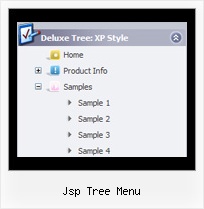
["+Javascript/DHTML Tree: XP Style","", "deluxe-tree.files/xpicon1_s.gif", "", "", "XP Title Tip", "", "0", "", "", ],
["|Home","testlink.htm", "deluxe-tree.files/icon1_s.gif", "deluxe-tree.files/icon1_so.gif", "", "Home Page Tip", "", "", "", "data-new.js", ],
"Javascript/DHTML Tree: XP Style" item will be expanded by default in that case.
Use var texpanded=1; parameter to expand all menu items by default.
Use function dtreet_ext_expandItem (itemID, expand) API function to expand the specificmenu items dynamically:
http://deluxe-tree.com/functions-info.html