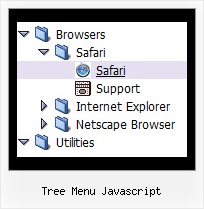
Tree Menu Javascript by Deluxe-Tree.com
Tree Menu Javascript


Buy Now!  Free Trial Download

Menu Screenshots Tree Menu Javascript

Tree Menu Javascript Tree Floating Menu Transparent

Features Tree Menu Javascript

Cost Effective
Seamless Integration
  • Visible over flash, select boxes, iframes, java applets
  • Multiple menus on the same page
  • Amicable to other scripts and css styles
  • Any HTML code can be used inside menu items
Dhtml Tree View Tree Menu Javascript
Compatibility              
  • Full cross-browser compatibility including IE, Netscape, Mozilla, Opera, Firefox, Konqueror and Safari on Windows, Mac OS and Linux
  • Menu can be populated from a database using ASP, PHP, etc.
  • Search engine friendly
  • Support for any doctypes
  • Fits for secure sites
High Performance
  • AJAX menu loading - loads web menu data from the server "on-the-fly".
  • Commonly loads quicker than other html page elements
  • Runs well with an unlimited number of submenus and items
Easy Setup
  • De Luxe Tuner. GUI interface to create your tree menu javascript menus easily and in no time
  • Sensible menu parameters for manual editing
Buy Now!  Free Trial Download

Javascript Tree Menu. Expandable Menu.

  • Good menu is an essential part of website commercial success. If people can't find their way around the site, they will fast give up seeking and retire, never to return. So, it's extreme serious that your website has a accurate, precise, prompt, and navigation of immaculate appearance.
    Don't let your web site guests to get lost. Try Javascript/DHTML Tree!

Recent Questions Tree Menu Javascript

Q: I would love to buy your product BUT, I am not sure if it will do what I want - can I call javascript within the dynamic menu?

For example my old page for disaster recovery we have inserted a URL substitution :

The javascript function is called at the top of the nav page:

<script LANGUAGE = "JavaScript" SRC = "../urlSub.js"> </script>

then the link on the nav menu

<a> href="#" ONCLICK = "urlSubstitution('transco/sheet.asp?stype=1')">Table of Contents </a>
-----------------------------------------------------------------------------------------------------
HOWEVER, Im not sure if this is possible with your product?

A: Yes, it is possible.

Actually you can use your own Javascript code instead standard links and html code inside item text. For example:

  var menuItems = [
["text", "javascript:your_code_here"]
];

or

  var menuitems = [
["<div onClick='urlSubstitution(\'transco/sheet.asp?stype=1\')'>Table of Contents</div>", ""]
];


Q: I downloaded the trial version of deluxe-menu.
I created a four tab menu using the tab'stab menu generator; so far so good.
I read the tutorial where to past codeand ensuring all items wire in the menudir/; so far so good. The problem, you talk about two> files 'dmenu.js' & 'data.js', these files were not created bydeluxe-menu program.
Where are they, so that I can see if this thing works before buying, so far; not so good.

A: You may have another name for your data file (not data.js).

If you want to use tab menu you'll have dtabs.js engine file and data file.

1. create and save .js file with your menu parameters in Deluxe Tuner(you can use "File/Save as/HTML" function).
You can enter any name you like, for example enter "tab". So you'llhave tab.html, tab.js files and "tab.files" folder with all menu files.
2. open your .html page in any text editor
3. Copy generated tab.js file and "tab.files/" folder in the same folderwith your index.html page.
4. Open generated menu.html in any text editor and copy several rows of code (<script> tags), For info see:http://deluxe-tabs.com/product-info/?installation

<head>
<!-- JavaScript Tree Menu -->
<noscript><a href="http://deluxe-menu.com">Javascript Menu by Deluxe-Menu.com</a></noscript>
<script type="text/javascript" src="tab.files/dmenu.js"></script>
</head>
<body>
...
<script type="text/javascript" src="tab.js"></script>
...



That's all.


Q: Can this javascript collapsible menu be integrated into Expression Web?

A: JavaScript Tree Menu wasn't developed as Dreamweaver/Frontpage/Microsoft Expression Web extension,BUT you can use it as standard Javascript files. To install the menuinto your html page:

1. open the page in your program
2. open html source code of the page
3. add several rows of code (<script> tags), For info see: http://deluxe-menu.com/installation-info.html

That's all.
To create and configure your menus use Deluxe Tuner application
(included into the trial package): http://deluxe-menu.com/deluxe-tuner-info.html


Q: I am using a licensed copy of JavaScript Tree Menu and am extremely happy with the software and the functionalities provided. Great Work !!

I wanted to know how to hide/ disable the item in the javascript text menu for a particular user/roleid in .ASP.Net1.1 Kindly help me out with this problem as soon as possible.

A: You can find more info here:

http://deluxe-menu.com/dynamic-functions-sample.html

You can try to use API functions in that case:

function dm_ext_changeItemVisibility (menuInd, submenuInd, itemInd, visibility)

To disable items you should set the target parameter to "_".

You can try to use the following function

function disable() {
dm_ext_changeItem(0, 1, 1, ["", "", "", "", "", "_"]);
}

to disable items in your javascript text menu.