Recent Questions Two State Tree Java
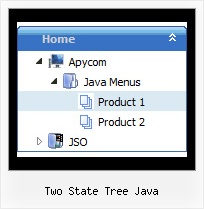
Q: We have found that some of the menu /sub menu trees do not "collapse" when youclick on another item of the web tree view Do you have any suggestions as to what we can look at to correct the problem?
A: Check the following parameters:
var tcloseExpanded=1;
var tcloseExpandedXP=1;
Q: This is probably a really basic question, but I was wondering if your software makes it possible to determine the direction of the drop down menu. In other words, my easy dropdown menu is at the bottom of the page and I want the drop down list to actually go "up," not down. Is that possible with your software?
A: Yes it is possible.
You should use the following easy dropdown menu parameter
var subMenuVAlign="top"; //downward
var subMenuVAlign="bottom"; //upward
var subMenuAlign="left"; //from left to right
var subMenuAlign="right"; //from right to left
Q: I ordered Deluxe Popup Window Multiple Site License and I cannot get it to work at all. I need to have multiple choice javascript popup window to website links on a web page. How do I get it to work from a link on a page? Are there examples of how to use the javascript popup window settings. All the help files show is for menus, tree and tabs.
A: 1) You can show the popup window when you hover, click or mouseout on some elements on yourpage. For example you have:
<p><img border="0" src="images/submenu-bg.gif" width="170" height="29" id="open_popup"></p>
So, in the Deluxe Tuner you should enter 'open_popup' object ID in the onMouseOver,onClick or onMouseOut fields.
Actually you can assign id to any object on your page:
add id="open_popup" for <a>, <div>, <img> ... tags.
2) Or you can create only one data file and use deluxePopupWindow.open() function to open the popups.
More info about deluxePopupWindow.open() function you can find:
http://deluxepopupwindow.com/window-installation-info.html
function deluxePopupWindow.open("winID", "content", "header", "param", "skin", "contentType")
Use another winID (first parameter) than you have in your data file if you don't want to close 1-st popup window or use the same winID=win if you want to close 1-st popup.
content - will be the path to the file you want to load in your popup (files/test.html)
skin - is the name of your skin (default in my example)
contentType - set this parameter to iframe.
If you want to open several windows at once use different id's for each link.Q: This is the problem I need to solve.
When the page loads with dhtml menu with images in Firefox 3, ALL the copy in ALL the tabs is displayed in the browser and I can't figure out what I need to do to change that. What I want displayed is ONLY the copy assosiated with the default tab.
A: You should add style="visibility: hidden;" for a content DIVs.
<div id="stilotig" style="visibility: hidden;">
<div id="history" style="visibility: hidden;">
...