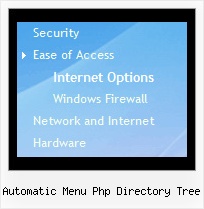
Automatic Menu Php Directory Tree by Deluxe-Tree.com
Automatic Menu Php Directory Tree


Buy Now!  Free Trial Download

Menu Screenshots Automatic Menu Php Directory Tree

Automatic Menu Php Directory Tree Tree Navigation Bar

Features Automatic Menu Php Directory Tree

Professional Look-n-feel
  • Entirely customizable look-n-feel
  • A lot of pre-designed automatic menu php directory tree samples
  • Hundreds of visual effects
  • Custom CSS styles can be applied for all menu settings
Compatibility              
  • Full cross-browser compatibility including IE, Netscape, Mozilla, Opera, Firefox, Konqueror and Safari on Windows, Mac OS and Linux
  • Menu can be populated from a database using ASP, PHP, etc.
  • Search engine friendly
  • Support for any doctypes
  • Fits for secure sites
Tree Horizontal Float Menu Automatic Menu Php Directory Tree
Seamless Integration
  • Visible over flash, select boxes, iframes, java applets
  • Multiple menus on the same page
  • Amicable to other scripts and css styles
  • Any HTML code can be used inside menu items
Cost Effective
Unrivalled Features
  • Scrollable, dragable, floating
  • Unique Java Script API for altering menu "on-the-fly", without page reloading
  • AJAX technology - loads menu data from the server "on-fly and on-demand".
Buy Now!  Free Trial Download

Javascript Tree Menu. Expandable Menu.

  • You can set default expanded/collapsed items and submenus.
  • After clicking on menu item selected item becomes highlighted.
  • When the submenu is larger than the visible area of the page the submenu will be automatically decreased. To see all the submenu items you do not need to use scrollbars or something like that - just put your mouse to the bottom of a submenu and it will be automatically scrolled! You can also specify height and width for each separate submenu.
  • There is no need to write additional code on a server side to remember what items were expanded/collapsed. Javascript/DHTML Tree can save items state automatically!

Recent Questions Automatic Menu Php Directory Tree

Q: Both arrow types are visible when my intranet first loads and when I select a top item that is a direct link to a page.
But, as soon as I select any item from a list of sub items that includes subitems with arrows,
the arrow images disappear from vertical menu until I refresh the site.

A: You can use additional parameters to make menu paths absolute:

  var pathPrefix_img = "http://domain.com/images/";
  var pathPrefix_link = "http://domain.com/pages/";

These parameters allow to make images and links paths absolute.
For example:

  var pathPrefix_img = "http://domain.com/images/";
  var pathPrefix_link = "http://domain.com/pages/";

  var menuItems = [
["text", "index.html", "icon1.gif", "icon2.gif"],
];

So, link path will be look so:
http://domain.com/pages/index.html

Images paths will be look so:
http://domain.com/images/icon1.gif
http://domain.com/images/icon2.gif

Please, try to use these parameters.


Q: I have purchased the Developer License for all products.  

However in the Tuner tool I don't see any option for creating calendars.  

How to design javascript calendars using the tuner tool? Where is the manual for Calendar?

A: We haven't added Calendar in Deluxe Tuner.
You can find it in the installed package:

C:\Program Files\JavaScript Tree Menus\calendar\

Calendar, http://www.calendardatepicker.com


Q: I downloaded "DeLuxe Menu" and try to make a menu dynamic. I was having the impression, that every item could have it's own color. But nowhere in de program could I find how this had to be done. Every time I changed the color, weather it was under Appearance or Item Appearance, the color of the whole menu was changed.
Before I decide to buy your product, I need to know if separate coloring for the menu dynamic is possible.

A: You can create Individual Item style and assign it for the top items,for example:

  var itemStyles = [

["itemBackColor=#8080FF,#FFFF80","itemBorderWidth=1","itemBorderStyle=solid,solid", "itemBorderColor=#000080,#FF8000","showByClick=0"],//style0
["itemBackColor=##FFFFF,#000000","itemBorderWidth=1","itemBorderStyle=solid,solid", "itemBorderColor=##AA0000,#0000EE","showByClick=0"],//style1
];

  var menuItems = [

["Item 1","", "", "", "", "", "0", "", "", "", "", ], //style0
["Item 2","", "", "", "", "", "1", "", "", "", "", ], //style1
 ["|Item 3","", "", "", "", "", "", "", "", "", "", ],
 ["|Item 4","", "", "", "", "", "", "", "", "", "", ],
["Item 5","", "", "", "", "", "0", "", "", "", "", ], //style0
 ["|Item 7","", "", "", "", "", "", "", "", "", "", ],
 ["|Item 8","", "", "", "", "", "", "", "", "", "", ],
["Item 6","", "", "", "", "", "1", "", "", "", "", ], //style1
];


Q: Greetings. How do I make a menu item as default selected and open when the page loads with the dhtml menu bar script? Thanks.

A: JavaScript Tree Menu has only two states normal and mouseover.

Try to do the following things:

- delete   var pressedItem=1; parameter from your data file
- set correct parameter on each page before you call data file, forexample:

<noscript><a href="http://deluxe-menu.com">dhtml menu bar script by Deluxe-Menu.com</a></noscript>
<script type="text/javascript">  var dmWorkPath = "menudir/";</script>
<script type="text/javascript" src="menudir/dmenu.js"></script>
<script type="text/javascript">  var pressedItem=3;</script>
...
<script type="text/javascript" src="menudir/data.js"></script>

You can also set a pressed item using Javascript API:

function dm_ext_setPressedItem (menuInd, submenuInd, itemInd, recursion)

Sets a current pressed item.
menuInd - index of a dhtml menu bar script on a page, >= 0.
submenuInd - index of a submenu, >= 0.
itemInd - index of an item, >=0.
recursion = true/false - highlight parent items.

But notice, to use dm_ext_setPressedItem() you should know ID of selected item and subitem. You can't get this ID after you reload your page. That is why you should write your own code on PHP.