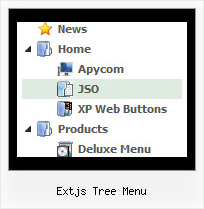
Recent Questions Extjs Tree Menu
Q: It actually does work - I got it to work, however some functions like transparency is not working, trial version pop up disappeared and transition when the submenu item comes down is not working - it simply pops the menu down.
A: Please, notice that transitional effects don't work in Firefox.
Effects work in IE only. You can find this info here:
http://deluxe-menu.com/filters-and-effects-sample.html
Q: Using data-visa-5.js
Trying to get the menu to start collapsed rather than fully expanded.
Thought it was the var texpanded=0 setting but doesn't seem to have any effect.
A: See, when you set + sign before item's text that is mean that thisitem will be expanded.
Now you have:
["+ Home","index.php","","","Home","","","1",""],
["+ Current Weather","","","","Current Weather","","","1",""],
["|Hourly Forecast","index.php?forecast=avnmos&zipcode=55744&oc=mosview_option|forecast","","","Hourly Forecast",,,],
["|Warnings/Advisories","index.php?forecast=warnings&zipcode=55744","","","Warnings/Advisories",,,],
["|Special Weather Alerts","index.php?config=&forecast=special&zipcode=55744","","","Special Weather Alerts",,,],
["|Live Weather","javascript:open('../../wxflash/index.htm','_blank')","","","Live Weather",,,],
["+ WeatherForum","/forum/index.php","","","Home","","","1",""],
["+ Weather Cams","","","","Weather Cams","","","1",""],
["|RapidsCam East","javascript:open_win('../../webcam/eastcam.asp',335,270,0,0,0,0,0,0,0,0,2,'cameast');","","","RapidsCam East",,,],
["|RapidsCam West","javascript:open_win('../../webcam/westcam.asp',367,270,0,0,0,0,0,0,0,0,3,'camwest');","","","RapidsCam West",,,],
["+ Weather Maps","","","","Weather Maps","","","1",""],
Delete + signs from your items:
[" Home","index.php","","","Home","","","1",""],
[" Current Weather","","","","Current Weather","","","1",""],
["|Hourly Forecast","index.php?forecast=avnmos&zipcode=55744&oc=mosview_option|forecast","","","Hourly Forecast",,,],
["|Warnings/Advisories","index.php?forecast=warnings&zipcode=55744","","","Warnings/Advisories",,,],
["|Special Weather Alerts","index.php?config=&forecast=special&zipcode=55744","","","Special Weather Alerts",,,],
["|Live Weather","javascript:open('../../wxflash/index.htm','_blank')","","","Live Weather",,,],
[" WeatherForum","/forum/index.php","","","Home","","","1",""],
[" Weather Cams","","","","Weather Cams","","","1",""],
["|RapidsCam East","javascript:open_win('../../webcam/eastcam.asp',335,270,0,0,0,0,0,0,0,0,2,'cameast');","","","RapidsCam East",,,],
["|RapidsCam West","javascript:open_win('../../webcam/westcam.asp',367,270,0,0,0,0,0,0,0,0,3,'camwest');","","","RapidsCam West",,,],
[" Weather Maps","","","","Weather Maps","","","1",""],
Q: I want to use the java mac tabs, but my sub menu has no image like on the table sample on your site.
A: You should assign Individual Style for all subitems:
var bmenuItems = [
["XP Tab 1","", "", "", "", "", "", "", "", ],
["|Link 1_1","testlink.htm", "", "", "", "", "0", "", "", ],
["|Link 1_2","testlink.htm", "", "", "", "", "0", "", "", ],
["|Link 1_3","testlink.htm", "", "", "", "", "0", "", "", ],
["|Link 1_4","testlink.htm", "", "", "", "", "0", "", "", ],
["|Link 1_5","testlink.htm", "", "", "", "", "0", "", "", ],
Q: Does your product support image swapping? For instance, if I was building a menu such as the one on your site, how would I swap the "Home", "Product Info", etc images/gif's?
I'm using a JavaScript such as the one below:
<a href="index.html"><img src="images/btn_home_up.gif" name="Image1" width="91" height="33" border="0" id="Image1" onmouseover="MM_swapImage('Image1','','images/btn_home_roll.gif',1)" onmouseout="MM_swapImgRestore()" /></a>
A: You can use images for items using standard <img> tag.
But in this case you should change pictures yourselves usingJavascript to make rollover items.
For example:
var menuItems = [
["<img src='image1.gif' width=100 height=20 onmouseover='this.src=\"image2.gif\" onmouseout='this.src=\"image1.gif\"'>Text", link,]
];
or
var menuItems = [
["<img src='image.gif' onmouseover='changeImage(this, 1)' onmouseout='changeImage(this, 0)'>"]
];