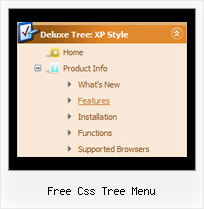
Recent Questions Free Css Tree Menu
Q: Can a menu item that expands the submenu items when selected also work as a link?
A: Actually you cannot use links for the top items in the XP Style.
But you can write:
["<a href='index.html' class='home'>Home</a>","", "", "", "", "Return to Index page", "", "0", "", ],
["<a href='http://www.domain.uk' class='home'>About Us</a>","", "", "", "", "", "", "0", "", ],
["|Introduction","http://www.domain.uk/introduction.htm", "", "", "", "", "", "", "", ],
And create styles
.home{
color: #FFFFFF;}
.home:hover{
color: #FFBEBE;}
But in that case the submenu and link open when you press "About Us" item. I think that it is not verygood behaviour. You can also try to specify target parameter
["<a href='index.html' class='home'>Home</a>","", "", "", "", "Return to Index page", "", "0", "", ],
["<a href='http://www.domain.uk' class='home' target="_blank">About Us</a>","", "", "", "", "", "", "0", "", ],
["|Introduction","http://www.domain.uk/introduction.htm", "", "", "", "", "", "", "", ],
Q: I intend to purchase a copy of Deluxe menu where I will be using tree menu for a project. I have created the tree describing the menu and copied the data.Files folder, data.js file to the area where the HTML page is and pasted the relevant text into html file.
When opening the page, the tree menu in javascript is not displayed. Can you please help me resolve this problem. I have attached the data.files folder (in zipped form), the data.js file and the html page I am using
A: Now you have the following code on your html page:
<HTML>
<HEAD>
<script type="text/javascript" src="data.files/dtree.js"></script>
</HEAD>
<BODY>
</BODY>
</HTML>
It is not correct you should install the menu in the following way:
<HTML>
<HEAD>
<script type="text/javascript"> var tWorkPath="data.files/";</script>
<script type="text/javascript" src="data.files/dtree.js"></script>
</HEAD>
<BODY>
<script type="text/javascript" src="data.files/data.js"></script>
</BODY>
</HTML>
You can use "Export to HTML" function in Deluxe Tuner.
Q: Can I call javascript within the drop menu javascript?
A: Yes, it is possible.
Actually you can use your own Javascript code instead standard links and html code inside item text. For example:
var menuItems = [
["text", "javascript:your_code_here"]
];
or
var menuitems = [
["<div onClick='urlSubstitution(\'transco/sheet.asp?stype=1\')'>Table of Contents</div>", ""]
];
s
Q: Is your menu maker compatable with Expression Web?
A: JavaScript Tree Menu wasn't developed as Dreamweaver/Frontpage/Microsoft Expression Web extension,BUT you can use it as standard Javascript files. To install the menuinto your html page:
1. open the page in your program
2. open html source code of the page
3. add several rows of code (<script> tags), For info see: http://deluxe-menu.com/installation-info.html
That's all.
To create and configure your menus use Deluxe Tuner application(included into the trial package):
http://deluxe-menu.com/deluxe-Tuner-info.html