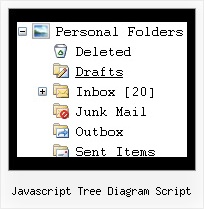
Javascript Tree Diagram Script by Deluxe-Tree.com
Javascript Tree Diagram Script


Buy Now!  Free Trial Download

Menu Screenshots Javascript Tree Diagram Script

Javascript Tree Diagram Script Navigation Menu Dhtml Tree

Features Javascript Tree Diagram Script

Seamless Integration
  • Visible over flash, select boxes, iframes, java applets
  • Multiple menus on the same page
  • Amicable to other scripts and css styles
  • Any HTML code can be used inside menu items
Professional Look-n-feel
  • Entirely customizable look-n-feel
  • A lot of pre-designed javascript tree diagram script samples
  • Hundreds of visual effects
  • Custom CSS styles can be applied for all menu settings
Tree Onmouseover Transparency Javascript Tree Diagram Script
Compatibility              
  • Full cross-browser compatibility including IE, Netscape, Mozilla, Opera, Firefox, Konqueror and Safari on Windows, Mac OS and Linux
  • Menu can be populated from a database using ASP, PHP, etc.
  • Search engine friendly
  • Support for any doctypes
  • Fits for secure sites
High Performance
  • AJAX menu loading - loads web menu data from the server "on-the-fly".
  • Commonly loads quicker than other html page elements
  • Runs well with an unlimited number of submenus and items
Easy Setup
  • De Luxe Tuner. GUI interface to create your javascript tree diagram script menus easily and in no time
  • Sensible menu parameters for manual editing
Buy Now!  Free Trial Download

Javascript Tree Menu. Expandable Menu.

  • There can be as many submenus as you want.
  • Use a mouse to drag a menu as a usual window.
  • When the page is scrolled the menu remains visible. The Javascript/DHTML Tree can "float" along one or two coordinate axes. After clicking on menu item selected item becomes highlighted.

Recent Questions Javascript Tree Diagram Script

Q: Do this easy drop down menu support Right to left property?

A: JavaScript Tree Menu support right-to-left languages.

In JavaScript Tree Menu you can set the following parameter:

  var dmRTL = 1;

Set this parameter to 1 if you're using right-to-left direction of html page <HTML dir=rtl>.


Q: I'm trying to have two separate menus on my web page. I read what was written in your FAQs about multiple menus, but the response was too cryptic.

It seems to me that if the dmWorkPath for each menu is declared separately, then the menus should work separately (with no interaction). I did not find this to be the case.

Do you have more complete information about creating multiple menus on one page? I would like to understand the issues.


A: David, if you want to create multiple menus on one page you should only call several data.js files with the menu.

For example you can see templates.html. You can find this file in the trial package.


Q: How do I get a second javascript popup window on the same page?

A: You should create another popup for the second link. Notice that you should use differentID's:

<a id="win2" href="javascript:;">
<img height="173" align="bottom" width="150" x-sas-useimageheight="" x-sas-useimagewidth="" src="gifs/vargas2.gif"/>
</a>

in Deluxe Tuner specify another parameters:
WinID = window2
(Use another winID than you have in your first data file if you don't want to
close 1-st popup window after you open the 2-nd one or use the same winID=win if you want to close 1-st popup.)

new url
onClick = win2

Save this popup (use another name, for example: popup2.html).

Q: I figure I'm missing something basic ....

I've created a simple horizontal menu and uploaded the various files to to my website go generate the bar food menu

How do I add content to each tab rollovers so that the content will appear on this same page (as opposed to having to move to another page)?

i.e. when you click on starters, you see the starter below,
when you click on mains you see the mains below
etc. etc.

I'm new to this .....

A: You should paste your content in the <div> .. </div> tags.

<div id="content1" style=" visibility: hidden;" class="tabPage">
<br><br><br>
<p align=center><img src="img/logo_DM.gif" width=262 height=56 alt="Deluxe-Menu.com"></p>
</div>

<div id="content2" style="visibility: hidden;" class="tabPage">
<br><br><br>
<p align=center><img src="img/logo_DT.gif" width=262 height=56 alt="Deluxe-Tree.com"></p>

</div>

<div id="content3" style=" visibility: hidden;" class="tabPage">
<br><br><br>
<p align=center><img src="img/logo_DTabs.gif" width=254 height=58 alt="Deluxe-Tabs.com"></p>
</div>

See in Deluxe Tabs there are two modes:

1.   var tabMode=0;
You can create only one level of tabs and assign Object Id's of theDIV's to show when you click on the tab rollovers.

["XP Tab 1","content1", "", "", "", "", "", "", "", ],
["XP Tab 2","content2", "", "", "", "", "", "", "", ],
["XP Tab 3","content3", "", "", "", "", "", "", "", ],
["XP Tab 4","content4", "", "", "", "", "", "", "", ],

2.   var tabMode=1;
You can assign only links in this mode.
You should create top level items with subitems.

["XP Tab 1","", "", "", "", "", "", "", "", ],
     ["|Link 1_1","http://deluxe-tabs.com", "", "", "", "", "0", "", "", ],
     ["|Link 1_2","testlink.htm", "", "", "", "", "0", "", "", ],
     ["|Link 1_3","testlink.htm", "", "", "", "", "0", "", "", ],
     ["|Link 1_4","testlink.htm", "", "", "", "", "0", "", "", ],
     ["|Link 1_5","testlink.htm", "", "", "", "", "0", "", "", ],
["XP Tab 2","", "", "", "", "", "", "", "", ],
     ["|Link 2_1","testlink.htm", "", "", "", "", "0", "", "", ],
     ["|Link 2_2","testlink.htm", "", "", "", "", "0", "", "", ],
     ["|Link 2_3","testlink.htm", "", "", "", "", "0", "", "", ],
     ["|Link 2_4","testlink.htm", "", "", "", "", "0", "", "", ],
     ["|Link 2_5","testlink.htm", "", "", "", "", "0", "", "", ],
["XP Tab 3","", "", "", "", "", "", "", "", ],
     ["|Link 3_1","testlink.htm", "", "", "", "", "0", "", "", ],
     ["|Link 3_2","testlink.htm", "", "", "", "", "0", "", "", ],
     ["|Link 3_3","testlink.htm", "", "", "", "", "0", "", "", ],
     ["|Link 3_4","testlink.htm", "", "", "", "", "0", "", "", ],
     ["|Link 3_5","testlink.htm", "", "", "", "", "0", "", "", ],

You can use Object ID as well as Link in both modes. Use the following prefixes within item's link field:
"object:" - means that there is object id after it;
"link:" - means that there is a link after it.
"javascript:" - means that there is a javascript code after it, for example:javascript:alert(\'Hello!\')

So, you should write for example:

 ["|Link 1_1","object:Content1_1", "", "", "", "", "0", "", "", ],