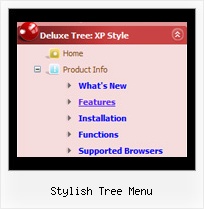
Recent Questions Stylish Tree Menu
Q: If you look at our site in IE (PC) the deluxemenu looks great justified left w/ our logo justified right. When you look at it in Safari (Mac) the dhtml menu dropdown is stretched across the entire width of the page and our logo is no longer in view (yuk!).
A: Try to set exact width for the menu in 'px':
var menuWidth="300px";
Q: I was wondering how do i add more then five items on the top of the select menu javascript rathere then using a sub menu?
A: Actually you can add as many top items as you want.
Use Deluxe Tuner to add more items or add them in your data filemanually, for example:
var menuItems = [
["Item 1","whatsnew.htm", "Buttons/whatsnewup.jpg", "Buttons/whatsnewover.jpg", "", "", "", "", "", "", "", ],
["Item 2","test.htm", "", "", "", "", "", "", "", "", "", ],
["Item 3","index.htm", "Buttons/homeup.jpg", "Buttons/homeover.jpg", "", "_parent", "", "", "", "", "", ],
["Item 4","about.htm", "Buttons/aboutup.jpg", "Buttons/aboutover.jpg", "", "_parent", "", "", "", "", "", ],
["Item 5","commserv.htm", "buttons/commservup.jpg", "buttons/commservover.jpg", "", "_parent", "", "", "", "", "", ],
["Item 6","conference.htm", "buttons/conferenceup.jpg", "buttons/conferenceover.jpg", "", "_parent", "", "", "", "", "", ],
["Item 7","lodges.htm", "buttons/districtsup.jpg", "", "", "_parent", "", "", "", "", "", ],
Q: Is it possible to have the actual words clickable in order to open up a sublevel menu instead of having to click on the + symbol?
A: Yes, you can do it.
You should set this parameter:
var texpandItemClick = 1;
Q: We had a strange problem with the menus when the sub menus are over applet in https: the applet disappeared.
After doing some Investigation in your code we noticed that you are using in HTTPS mode div instead of Iframe.
We would be happy if you can tell us why you are using div in this mode and if we will use http mode will it cause something that can affect the menus
A: Iframes don't work on https:// websites. You'll get warning message. That's why we're using <div> tag.If for some reasons a submenu can't drop down over an object the latterwill be hidden for a time when the submenu is shown.
If you use JavaScript Tree Menu on https:// website, submenus won't drop downover select boxes within iframe objects. It works fine on a non-secureservers only.