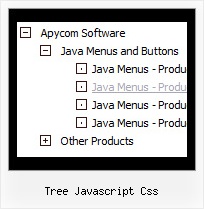
Recent Questions Tree Javascript Css
Q: Hello I purchased the deluxe menu for single website. I have a mac computer and cant open the exe installation file of drop down menu maker inside of it. Can I get around this problem? Please help asap.
A: Download trial package from our website on MAC.
You can find HTML version of drop down menu maker (MAC version) there.
See more info:
http://deluxe-menu.com/deluxe-tuner-info.html
Q: We just downloaded the trial versions to evaluate and I noticed something a little odd. When I build a menu that will not have icons next to the links, I don't see a way the I can move the test further tothe left inside the menu.
Notice how the links within the menu box are almost centered? Is there anyway to move those items further to the left?
A: Try to set the following parameter.
var tlevelDX=0;
You cannot move it closer to the left side.
Q: ["item text", "javascript:your_code_here", ...]
This won't work the java script executes when the link is clicked it is not the link itself.
Below is what I normally use and how would I incorporate that?
<a onclick="NewWindow(this.href,'name','490','400','yes');return false;" href="web/equipment/hydraulic_truck.htm">
A: I'm not sure I understand you.
You can use
NewWindow(this.href,'name','490','400','yes');
code in an item link:
["text", "javascript:NewWindow(url,'name','490','400','yes');"]
But if you don't want that, you can just insert <a> into an item text.
Q: I came across your program through a link on the Internet. The menu script displayed was DHTML Menu Demo #23 displayed on
http://dhtml-menu.com/dhtml-samples/menu2752.html - this is the only menu I am interested in as it has the capability of positioning the menu script relative to an existing table in the HTML coding of the page. I already have a vertical scrolling menu with several features visitors. We are moving our website to our own server and are doing some updating to make it more attractive when viewed at different resolutions. If you look at the source coding for the page (yes, it's almost exclusively in HTML - it usually views well on any browser) you will see that ALL the content is enclosed in a table which is centered on the page allowing it to be completely viewed at any resolution of 800 x 600 or greater. But the scripting I'm using ( /* Created by Randy Bennet...) uses the left margin of the browser window as left margin of the page. If it could be written so that the left margin of the existing (and centered in the browser window) table would be the point from which the left corner of the "object1" was measured, then the page would view nicely at any resolution. But I cannot find out how to do this from your "newer version".
A: You can create the same menu using JavaScript Tree Menu:
http://dhtml-menu.com/dhtml-samples/menu2752.html
To install JavaScript Tree Menu in the table cell with center alignment youshould use relative position for the menu:
var absolutePos=0;
var posX="0px";
var posY="0px";
And install it on your page in the following way:
<table>
<tr>
<td align="center">
<script type="text/javascript" src="deluxe-menu.js"></script>
</td>
</tr>
</table>