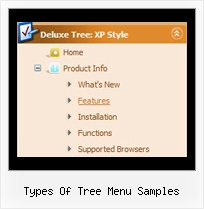
Recent Questions Types Of Tree Menu Samples
Q: Is it possible via code customization to remove the border only for the top level of popup navigation
and subsequent menu levels with the border?
If yes, would you provide technical assistance with the required code change?
A: You can use Individual Item Style in that case.
You should create Individual Style, for example:
var itemStyles = [
["itemBorderStyle=none,none"], // style 0
];
And assign it for top items:
var menuItems = [
["Home","testlink.html", "", "", "", "", "0", "", "", "", "", ], // assign style 0
["Product Info","", "deluxe-menu.files/icon1.gif", "deluxe-menu.files/icon1o.gif", "", "", "0", "", "", "", "", ], // assign style 0
["|Features","testlink.html", "deluxe-menu.files/icon2.gif", "deluxe-menu.files/icon2o.gif", "", "", "", "", "", "", "", ],
["|Installation","", "deluxe-menu.files/icon2.gif", "deluxe-menu.files/icon2o.gif", "", "", "", "", "", "", "", ],
["|Supported Browsers","", "deluxe-menu.files/icon2.gif", "deluxe-menu.files/icon2o.gif", "", "", "", "", "", "", "", ],
["||Windows OS","", "deluxe-menu.files/icon3.gif", "deluxe-menu.files/icon3o.gif", "", "", "", "", "", "", "", ],
["||Internet Explorer","", "deluxe-menu.files/icon5.gif", "deluxe-menu.files/icon5o.gif", "", "", "", "", "", "", "", ],
["||Firefox","", "deluxe-menu.files/icon5.gif", "deluxe-menu.files/icon5o.gif", "", "", "", "", "", "", "", ],
["Samples","", "deluxe-menu.files/icon1.gif", "deluxe-menu.files/icon1o.gif", "", "", "0", "", "", "", "", ], // assign style 0
["|Sample 1","testlink.html", "deluxe-menu.files/icon6.gif", "deluxe-menu.files/icon6o.gif", "", "", "", "", "", "", "", ],
["|Sample 2 is Disabled","testlink.html", "deluxe-menu.files/icon6.gif", "deluxe-menu.files/icon6o.gif", "", "_", "", "", "", "", "", ],
["Purchase","http://deluxe-menu.com/order-purchase.html", "deluxe-menu.files/icon1.gif", "deluxe-menu.files/icon1o.gif", "", "_blank", "0", "", "", "", "", ], // assign style 0
["Contact Us","testlink.htm", "deluxe-menu.files/icon1.gif", "deluxe-menu.files/icon1o.gif", "", "", "0", "", "", "", "", ], // assign style 0
];
More info you'll find here:
http://deluxe-menu.com/individual-item-styles-info.html
Q: I need a web navigation bar with a transparent background for the menu and the submenues.
A: You can set the following parameters:
var menuBackColor="transparent";
var itemBackColor=["transparent","transparent"];
You can set transparency for submenus using the following parameter:
var transparency="70";
Q: I just purchased your product and I have it installed and it is working great. Great job with this product.
I am wondering why I am only seeing just a small percentage of the templates for the css rollover menus. On your web page, there seem to be dozens of different styles to choose from. On my local software there is only a few. Can I download the additional "vista" styles somehow?
A: We've included all templates in the installation package.
You can also find all templates in the following folder:
C:\Program Files\JavaScript Tree Menus\deluxe-menu\Templates\Q: I am trialing your tab menus at the moment and plan to use them on my website. I think they are excellent. I have been trying to work something out and hope you can help me. I have a nice menu set up, and want to change web pages when one of the tabs is clicked. How can the new page have the same java jump menu, but with a different tab activated? I can only seem to get this to work with a menu on a page that goes nowhere. I would have to pass a new value to bselectedItem but I don't know how.
A: Deluxe Tabs doesn't support API functions which can return theselected tab.
You can set "bselectedItem" and " var bselectedSmItem" parametersbased on your link before you call your data file.
For example, move " var bselectedItem" and " var bselectedSmItem" parametersfrom your data file to your code.
<TD vAlign=top align=left>
/* Select Tab */
<script type="text/javascript" language="JavaScript1.2">
var bselectedItem=<?php echo $seltabs; ?>;
var bselectedSmItem=<?php echo $selsmtabs; ?>;
</script>
<SCRIPT src="data.js" type=text/javascript></SCRIPT>
</TD>
You should define seltabs and selsmtabs using server side script.
You can also set it on every page before you call data.js file, forexample:
<TD vAlign=top align=left>
/* Select Tab */
<script type="text/javascript" language="JavaScript1.2">
var bselectedItem=4;
var bselectedSmItem=3;
</script>
<SCRIPT src="data.js" type=text/javascript></SCRIPT>
</TD>
Try that.