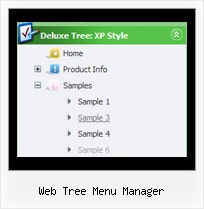
Web Tree Menu Manager by Deluxe-Tree.com
Web Tree Menu Manager


Buy Now!  Free Trial Download

Menu Screenshots Web Tree Menu Manager

Web Tree Menu Manager Menu By Tree

Features Web Tree Menu Manager

Seamless Integration
  • Visible over flash, select boxes, iframes, java applets
  • Multiple menus on the same page
  • Amicable to other scripts and css styles
  • Any HTML code can be used inside menu items
High Performance
  • AJAX menu loading - loads web menu data from the server "on-the-fly".
  • Commonly loads quicker than other html page elements
  • Runs well with an unlimited number of submenus and items
Tree View Menu Examples Web Tree Menu Manager
Compatibility              
  • Full cross-browser compatibility including IE, Netscape, Mozilla, Opera, Firefox, Konqueror and Safari on Windows, Mac OS and Linux
  • Menu can be populated from a database using ASP, PHP, etc.
  • Search engine friendly
  • Support for any doctypes
  • Fits for secure sites
Professional Look-n-feel
  • Entirely customizable look-n-feel
  • A lot of pre-designed web tree menu manager samples
  • Hundreds of visual effects
  • Custom CSS styles can be applied for all menu settings
Easy Setup
  • De Luxe Tuner. GUI interface to create your web tree menu manager menus easily and in no time
  • Sensible menu parameters for manual editing
Buy Now!  Free Trial Download

Javascript Tree Menu. Expandable Menu.

  • You can create 3-state icons for each item: normal state, mouseover state, expanded state.
  • Use images for icons, backgrounds of submenus and items.
  • You can use with any amount of menu and submenus on one page.
  • Insert any HTML code inside the menu item - be it a form or a picture, a flash-object or a text. This ability allows you to create various menus of any complexity.

Recent Questions Web Tree Menu Manager

Q: Is there any way can we display sub level menu items on mouse over of first level menu items using tabs (Text Style Javascript Dhtml Tab / Java Script Tab Script Text Style / Javascript Tab Navigation Text Style / Javascript Tabbed Menus XP Style)


A: Unfortunately, you can do it on mouseover with Deluxe Tabs.
But you can create such menu using JavaScript Tree Menu.


Q: Before purchase this product in Multiple Websites Licence, I would like to know:

  In your licence sample to get the key, the domain name is "yourdomain.com".

  Can I use as domain name a IP address (for Intranets), like "200.211.1.20" to get the key for the java right click menu?


A: You should register the menu for a domain name or for IP address.
In other words, you should register the menu for the domain name thatyou print in a browser's search string, for example:

http://intranet/
http://klinikum-nuernberg/
http://192.168.0.1
http://localhost

But you menu won't work on a local machine, for example
j:\Stationshandbuch\start.html


Q: I'm having a major problem centering html menu navigation in a table.
No matter what I try, the menu stays on the left ofthe table.
Do you have any suggestions?

A: To center the menu on your html page you should set the following
parameter and install the menu in the following way:

  var absolutePos=0;

<div align=center>
<script type="text/javascript" src="deluxe-menu/dmenu.js"></script>
</div>

<table width=800>
<tr>
<td align=center width=600><script type="text/javascript" src="data/data.js"></script></td>
</tr>
</table>

Q: Now, one more little question -

in a Tree menu, I know how to make a menu expand by default and expand only on a mouse click.

However, I believe there is a way to make a menu item expand on a "mouse over" without a click.

How can this be done?


A: No, unfortunately it is not possible to expand the tree menu onmouseover now. It is possible that we'll add this feature in the nextversion.