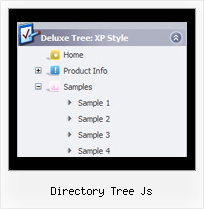
Recent Questions Directory Tree Js
Q: And another question about displaying the links code in html.
How to create a drop down menu links to be displayed in the html code for search engines to catch them, is that possible?
A: You can use search engine friendly code and install it on yourpage before you call your data file.
You'll see text links in that case.
To create a search engine friendly menu you should add additional html code within your html page:
<div id="dmlinks">
<a href="http://deluxe-menu.com">menu_item_text1</a>
<a href="http://deluxe-tree.com">menu_item_text2</a>
...etc.
</div>
To generate such a code use Deluxe Tuner application.
Run Tuner, load your menu and click Tools/Generate SE-friendly Code (F3)
Q: We have a query on a navigation that we have created. We would like to knowhowto set the colour for a nav item of the asp drop down menu if any pages in that section are currently being visited?
A: To save your navigation path you should set the following parameter:
var saveNavigationPath = 1;
The menu keeps items highlighted during menu navigation.
0 - disabled, 1 - enabled (default).
You can highlight menu items by default in two ways:
1) Set the pressed item on each page idividually using the following parameter:
var pressedItem = -2;
The toggle mode. Sets an index of an item that will be highlighted by default.
-2 - the toggle mode is disabled;
-1 - the toggle mode is enabled, but no items highlighted by default;
0,1,2,3,... - index of highlighted item in a top-level menu.
- delete var pressedItem=1; parameter from your data file
- set correct parameter on each page before you call data file, for example:
<noscript><a href="http://deluxe-menu.com">Javascript Menu by Deluxe-Menu.com</a></noscript>
<script type="text/javascript"> var dmWorkPath = "menudir/";</script>
<script type="text/javascript" src="menudir/dmenu.js"></script>
<script type="text/javascript"> var pressedItem=2;</script>
...
<script type="text/javascript" src="menudir/data.js"></script>
2) Set the pressed item/subitem using dm_ext_setPressedItem () function.
Please see more info here:
http://deluxe-menu.com/highlighted-items-sample.htmlQ: I want to know context menus can be displayed?
A: Yes you can create context menu, for more info see:
http://deluxe-menu.com/popup-mode-sample.html
Q: We’ve recently purchased your java dynamic menu. How can we put a border around the menu, but not the title? It doesn’t appear to be an easy way to do this using the javascript data file.
A: To set border around the whole menu you should set the followingparameters:
var menuBorderColor="#C0AF62";
var menuBorderWidth=1;
Use Deluxe Tuner to create your menu.