Dynamic Tree Jquery by Deluxe-Tree.com
Dynamic Tree Jquery


Buy Now!  Free Trial Download

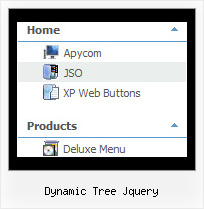
Menu Screenshots Dynamic Tree Jquery

Dynamic Tree Jquery Tutorial Tree Menu Bar

Features Dynamic Tree Jquery

Professional Look-n-feel
  • Entirely customizable look-n-feel
  • A lot of pre-designed dynamic tree jquery samples
  • Hundreds of visual effects
  • Custom CSS styles can be applied for all menu settings
Cost Effective
Drop Down Menu Tree View Dynamic Tree Jquery
Easy Setup
  • De Luxe Tuner. GUI interface to create your dynamic tree jquery menus easily and in no time
  • Sensible menu parameters for manual editing
Unrivalled Features
  • Scrollable, dragable, floating
  • Unique Java Script API for altering menu "on-the-fly", without page reloading
  • AJAX technology - loads menu data from the server "on-fly and on-demand".
Seamless Integration
  • Visible over flash, select boxes, iframes, java applets
  • Multiple menus on the same page
  • Amicable to other scripts and css styles
  • Any HTML code can be used inside menu items
Buy Now!  Free Trial Download

Javascript Tree Menu. Expandable Menu.

  • You can animation and effects for the javascript tree menu. These effects will make your menu more attractive and stylish. When you click on titles of submenus - submenus will collapse or expand. Submenus have a fade effect in Internet Explorer when you collapse/expand them, so your menus look like original menus in Windows XP Explorer. You can set different speed for an animation.
Recent Questions Dynamic Tree Jquery

Q: The property   var showByClick=1; not work in popupMode=1; ??? Is it possible ???


A: Unfortunately it is really impossible to show submenu on click in popup mode.


Q: I notice in your examples that your menus are horizontal and then drop down.
Is it possible to configure your javascript menu generator for vertical menus?

A: Yes, it is possible.
You should set the following parameter:

  var isHorizontal=0;

Q: Can I ask a technical question? I am using the menu in a frameset, and I would like for the drop down menu selected branch to sty highlighted after the user moves the mouse to another window (where the menu brings up a new page), just so the user knows where he/she is. Is that possible?

A: But if you open links in the another frame (window) the initial frame with your menu isnot reloaded, so the clicked item will be highlighted.
You should set the following parameters:
  var ttoggleMode=1;
  var tpressedFontColor="#AAAAAA";

You can also set the following parameter to save menu state:
  var tsaveState=1;
  var tsavePrefix="menu1";

If you install the menu without frames. On your pages you should call the following function/functions to expand/highlight items, for example:

<script>
dtreet_ext_expandItem (dtreet_ext_getItemIDByIndex (0, 0), 1);
dtreet_ext_setPressedItem (0, dtreet_ext_getItemIDByIndex (0, 1));
</script>

See more info about API functions here:
http://www.deluxe-tree.com/functions-info.html
Example:
http://deluxe-tree.com/highlight-selected-menu-item-sample.html


Q: How would I use the submenu feature to display itself only if a person is logged in. such as if a person logged in then the member area would expand, else it would always stay closed with only the login username section showing?


A: Unfortunately it is not possible. You can only add items depending onthe logged user.

You should use API functions:
see more info:
http://deluxe-menu.com/functions-info.html
For example, you can use:
function dtreet_ext_insertItem (menuInd, parentItemID, itemInd, itemParams)
function dtreet_ext_deleteItem (menuInd, itemID)
function dtreet_ext_showItem (itemID, visibility)
function dtreet_ext_expandItem (itemID, expand)