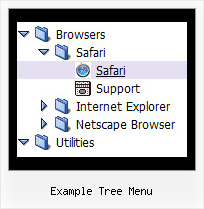
Recent Questions Example Tree Menu
Q: Do you have an extremely simple example of modifying a menu with the JavaScript API? I've played with the example on the site, but I have trouble removing the other menus without breaking it.
I just want to use the API to change the icon on the menu items.
A: You should use the following function:
function dm_ext_changeItem (menuInd, submenuInd, itemInd, iParams)
<script language="javascript" >
dm_ext_changeItem(0, 0, 1, ["", "", "new_icon.gif", "new_icon_o.gif", "",,""]);
</script>
Q: How do I change the background color for the floating drop down menu
A: To change menu colors you should change the following parameters:
var menuBackColor="#F2F3F2";
var itemBackColor=["#F2F3F2","#535353"];
You can also use Individual Item Styles to change the color of the specific items:
var menuStyles = [
["menuBackColor=#F2F3F2"],
];
var itemStyles = [
["itemBackColor=#F2F3F2,#535353"],
];
Q: Hello I am testing your product JavaScript Tree Menu, and want to create a special tree-menu.
I have a question:
Is it possible to have two icons in front of each dhtml menu item?
I need two icons in front of each menu-item that will symbolize an alarm and a sabotage-alarm.
I want to use animated gifs on these so that I can visualize alarm and sabotage on each menu-item.
But I also need an icon on the right side of the menu to show if the menu-item is expanded or not.
I want the structure to be like this:
Icon | icon а| Main menuitem1а | expandedicon
Icon | icon | sub menuitem1 | expandedicon
Icon | icon | sub menuitem1.1 | expandedicon
Icon | icon | sub menuitem1.2 | expandedicon
Icon | icon | sub menuitem2 | expandedicon
Icon | icon а| Main menuitem2а | expandedicon
Is this possible to achieve with your menu?
A: Yes, it is possible.
Actually you can use any html code within menu items.
["|<img src='default.files/icon1_so.gif' style='margin-right: 10px'>Home","testlink.htm", "default.files/icon1_s.gif","default.files/icon1_so.gif", "", "Home Page Tip", "", "", "", ],
Q: How do I highlight the current tab in a hover tab menu?
A: This Tabs menu can save pressed item automatically within1 page only.
If you open another page, the menu can't remember presseditem.
You should do that manually using Javascript and menu parameters
( var bselectedItem and var var bselectedSmItem) or using any server-side script (php, asp, etc.)
Deluxe Tabs doesn't support API functions which can return theselected tab.
If your site is written on PHP you can set "bselectedItem" and "varbselectedSmItem" parameters based on your link beforeyou call your data file.
For example, move "bselectedItem" and " var bselectedSmItem" parametersfrom your data file to your code.
<TD vAlign=top align=left>
/* Select Tab */
<script type="text/javascript" language="JavaScript1.2">
var bselectedItem=<?php echo $seltabs; ?>;
var bselectedSmItem=<?php echo $selsmtabs; ?>;
</script>
<SCRIPT src="data.js" type=text/javascript></SCRIPT>
</TD>
You should define seltabs and selsmtabs using server side script.
You can also set it on every page before you call data.js file, forexample:
<TD vAlign=top align=left>
/* Select Tab */
<script type="text/javascript" language="JavaScript1.2">
var bselectedItem=4;
var bselectedSmItem=3;
</script>
<SCRIPT src="data.js" type=text/javascript></SCRIPT>
</TD>
Try that.