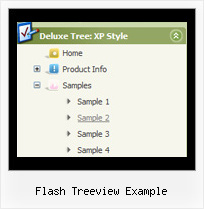
Recent Questions Flash Treeview Example
Q: When I save the file in our folder all the icons stop showing. I placed a image folder in our IE folder and still no icons are showing.
A: You should check all your paths.
Please, check that you have correct paths in the tmenuItems. Forexample:
["|Samples", "", "icon3_s.gif", "icon3_so.gif", "", "Samples Tip"],
["||Sample 1", "testlink.htm", "iconarrs.gif"],
["||Sample 2", "testlink.htm", "iconarrs.gif"],
["||Sample 3", "testlink.htm", "iconarrs.gif"],
["||Sample 4", "testlink.htm", "iconarrs.gif"],
You can also try to use the following parameter:
var tpathPrefix_img = "img/";
Q: > You should call the following function:
> dtreet_ext_getItemIDByIndex (0, 12)
> where 12 - is index of the item.
How would I know that 12 is the index of the item? How is itemInd different from its itemID? I assume the menuInd is always 0 for the first menu (or only in my case) menu on a page?
A: Yes, menuInd is the number of the menu on your page (in your casemenuInd=0).
itemInd is the number of the item in your menuItems, for example:
var tmenuItems =
[
["Home", "http://deluxe-tree.com", "icon1_t.gif", "icon1_to.gif","", "Home Page Tip","_blank"],//itemInd=0
["<img src='data_files/images/sep.gif' width=113 height=1>"],//itemInd=1
["+What's New<br><span id='letter'>This is pretty cool. I need to buy this deluxe menu</span>", "", "icon2_t.gif", "icon2_to.gif", "", "Product Info Tip"],//itemInd=2
["|What's New", "testlink.htm", ""], //itemInd=3
["|Features", "testlink.htm", ""], //itemInd=4
["|Installation", "testlink.htm", ""], //itemInd=5
["|Functions", "testlink.htm", ""], //itemInd=6
["|Supported Browsers", "testlink.htm", ""], //itemInd=7
["Samples", "", "icon3_t.gif", "icon3_to.gif", "", "Samples Tip"], //itemInd=8
["|Sample 1", "testlink.htm", ""], //itemInd=9
["|Sample 2", "testlink.htm", ""], //itemInd=10
["|Sample 3", "", ""], //itemInd=11
["||New Sample 1", "testlink.htm", ""],//itemInd=12
["||New Sample 2", "testlink.htm", ""],//itemInd=13
Q: How about getting the entire side navigation bar to sit in the centre rather than left align?
A: You can set your menu in the <div> tag and use the alignment you need:
<!-- JavaScript Tree Menu -->
<noscript><a href="http://deluxe-menu.com">Javascript Menu by Deluxe-Menu.com</a></noscript>
<script type="text/javascript" src="menudir/dmenu.js"></script>
<!-- (c) 2009, http://deluxe-menu.com -->
<div align="center">
<script type="text/javascript" src="menudir/data.js"></script>
</div>
Q: I have found (was it like this before??) that if I right-mouse-click over a menuitem then I do not see any option to open the URL in new window....
I do not get any options at all to open the URL in new window (or same window), in the browser context menu (both IE and Firefox).
A: No, JavaScript Tree Menu doesn't have such a feature. This is only text, not alink. And we won't change it. Because now you're able to paste anyhtml code within menu item.
var menuItems = [
["<div>Arbeidsplaner</div>","cp_workplan.php",,,,"_self","0","0"],
You can write your links in the following way:
["Channels","", , , , , , , , ],
["|<a class='menu' href='http://google.com/'>google</a>","", , , , "_self", , , , ],
["|<a class='menu' href='http://google.com'>Market</a>","", , , , "_", , , , ],
And create a style:
A.menu {
color: #000;
text-decoration: none;}
A.menu:hover {
color: #000;
text-decoration: underline;}