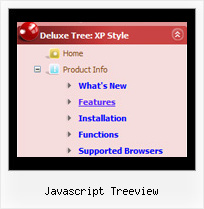
Recent Questions Javascript Treeview
Q: I ordered & installed the dhtml collapsable menu.
I can't seem to get the floating function to work. Here's how I have the variables set in the data-tree.js file:
var tfloatable = 1;
var tfloatIterations = 10;
var tfloatableX = 0;
var tfloatableY = 1;
And here are the links to the .js files in my HTML doc <head>:
<!-- Javascript/DHTML Tree -->
<noscript><a href="http://deluxe-tree.com">JavaScript Tree Menu by Deluxe-Tree.com</a> </noscript>
<script type="text/javascript"> var tWorkPath="tree-menu/";</script>
<script type="text/javascript" src="tree-menu/dtree.js"></script>
<script type="text/javascript" src="tree-menu/dtree_add.js"></script>
<script type="text/javascript" src="tree-menu/dtree_ajax.js"></script>
<script type="text/javascript" src="tree-menu/dtree_dyn.js"></script>
<!-- Copyright (c) 2006, Javascript/DHTML Tree, deluxe-tree.com -->
Please let me know if there are any other settings that need to be changed. I'm hoping to go live with this site wed. so a quck reply is appreciated.
A: Notice, your dhtml collapsable menu won't float with relative position. You shouldset:
var tabsolute=1;
Q: I am very much inspired over this Deluxe menu. But why there is not Deluxemenu with sound?
ADDs Item and ADD Subitem with sound! ADD Item and ADD Subitem with soundwould be nevertheless only perfect. Did you remember already times?
Why not?It pleases me with sound better.
A: Unfortunately, it is really so, you cannot use sound in JavaScript Tree Menu.
You can try our Java Menus, http://apycom.com. You can use sound there.
Q: It all works great under IE, but when you view it in Firefox the fly-out menus (off of Products, Services & About Us) do not appear over the Flash animation to the right in IE.
It works fine under Firefox on all other pages apart form Home, because Home is the only page with containing the Flash animation.
Could you please have a look and let us know if this is a known issue (we're using the latest 8 dmenu .js file, time-stamped 11 April 2006).
Thanks in anticipation.
A: Please, try to set this parameter:
var dmObjectsCheck=1;
Q: I'm creating a "Clear" style dhtml menu and for whateverreason it automatically spaces the menu items unevenly.
For the life of me I can't figure out how to set the spacing evenly.
A: Try to set exact width for each top item using Individual Item Styles:
var itemStyles = [["itemWidth=120px"],];
var menuItems = [
["Item 1","", "", "", "", "", "0", "", "", ],
["Item 2","", "", "", "", "", "0", "", "", ],
["Item 3","", "", "", "", "", "0", "", "", ],
["Item 4","", "", "", "", "", "0", "", "", ],
["Item 5","", "", "", "", "", "0", "", "", ],
];