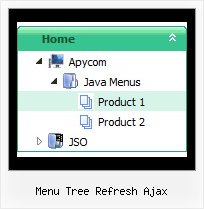
Recent Questions Menu Tree Refresh Ajax
Q: How I make to insert a code java in the event on click of the button "Ok", when this button is simple tree view?
A: You are able to paste any html code within items.
For example:
var tmenuItems = [
...
["<nobr><FORM method=GET action='http://www.google.com/custom'>
<nput name='as_q' value='searchthe web' size=15 style='font-size:10'> <INPUT type=hidden name=cof
value='LW:144;L:http://domain.edu/images/sulogo.gif;LH:45;AH:center;GL:0;S:http://domain.edu;AWFID:e01cb67b8afe383e;'></form></nobr>","",
"images/icons/search.gif", "", "", "", "", "", "", "", "",],
You should write your own code within tmenuItem.
Q: The problem that I am still experiencing (Im sure I have missed something obvious!) - is that all the pages open when you click on the relevant links but they always open with the "About Us" tab showing and then as soon as you click on a different tab you see it highlight for a second and then it just reverts back to the About Us tab even though the page has changed. As the site opens I obviously want the first tab to be highlighted as opposed to the 2nd one and the each page highlights and holds as you go through the menu.
A: See, you set
var bselectedItem=2;
That is why "About us" tab is selected.
You should change the selected tab depending on the page you are now.
This Tabs menu can save pressed item automatically within1 page only. If you open another page, the menu can't remember presseditem. You should do that manually using Javascript and menu parameters( var bselectedItem) or using any server-side script (php, asp, etc.)
Deluxe Tabs doesn't support API functions which can return theselected tab.
If your site is written on PHP you can set "bselectedItem" parameter based on your link beforeyou call tabs-kasper.js file.
For example, move "bselectedItem" parameter from tabs-kasper.js file to yourcode.
<TD vAlign=top align=left>
/* Select Tab */
<script type="text/javascript" language="JavaScript1.2">
var bselectedItem=<?php echo $seltabs; ?>;
</script>
<SCRIPT src="tabs-kasper.js" type=text/javascript></SCRIPT>
</TD>
You should define seltabs using server side script.
You can also set on every page before you call tabs-kasper.js file(for example, for solution tab).
<TD vAlign=top align=left>
/* Select Tab */
<script type="text/javascript" language="JavaScript1.2">
var bselectedItem=4;
</script>
<SCRIPT src="tabs-kasper.js" type=text/javascript></SCRIPT>
</TD>
Try that.
Q: Can I use drop down navigation menu using subfolders? I am trying to build amenu system but the website contains a lot of subfolders.
A: Yes, you can use deluxe-menu on the site with a lot of subfolders.
You can use additional parameters to make menu paths absolute:
var pathPrefix_img = "http://domain.com/images/";
var pathPrefix_link = "http://domain.com/pages/";
These parameters allow to make images and links paths absolute.
For example:
var pathPrefix_img = "http://domain.com/images/";
var pathPrefix_link = "http://domain.com/pages/";
var menuItems = [
["text", "index.html", "icon1.gif", "icon2.gif"],
];
So, link path will be look so:
http://domain.com/pages/index.html
Images paths will be look so:
http://domain.com/images/icon1.gif
http://domain.com/images/icon2.gif
Please, try to use these parameters.
Q: Is there a way to create a vertical menu in which the sub menus "fly out" to the left of the main menu?
A: Yes, it is possible.
To create vertical menu you should set
var isHorizontal=0;
Why of showing submenu you can set so:
var smViewType=2;