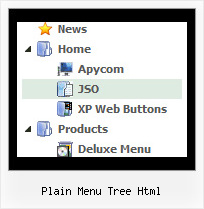
Recent Questions Plain Menu Tree Html
Q: I know. I have two menus on the page and I am not using beforeItemImage orafterItemImage for the top menu in javascript (the one you referenced below), but I need it for the second menu. The parameters for that menu are in mainnav_data.js.
Even when I only call dmWorkPath and dmenu.js once, it does not work.
A: See, it is not correctly to use image-based items:
["","", "mainnav_data.files/corpinfo.gif", "mainnav_data.files/corpinfo2.gif", "", "_self", "0", "", "", "", "", ],
and specify beforeItemImage/afterItemImage parameters. They won't work in that case.
You can create such buttons in the following ways:
1) Use image-based menu (images with text).
Create normal and mouse-over state images (with text) for each item:
["","", "mainnav_data.files/corpinfo.gif", "mainnav_data.files/corpinfo2.gif", "", "_self", "", "", "", "", "", ],
["","", "mainnav_data.files/new.gif", "mainnav_data.files/new2.gif", "", "_self", "", "", "", "", "", ],
["","", "mainnav_data.files/xxxxx.gif", "mainnav_data.files/xxxxx2.gif", "", "_self", "", "", "", "", "", ],
2) Use combined background for the menu in javascript items (images without text).
var beforeItemImage = [,]; //left-side image for normal and mouse over state
var itemBackImage = [,]; //background or image for normal and mouse over state
var afterItemImage = [,]; //right-side image for normal and mouse over state
var beforeItemImageW = '';
var afterItemImageW = '';
var beforeItemImageH = '';
var afterItemImageH ='';
But you should create a small images in any Graph Editor, for example:
button_n_back.gif
button_n_left.gif
button_n_right.gif
button_o_back.gif
button_o_left.gif
button_o_right.gif
You cannot use these two methods together!Q: Is it possible to change the mouseover font style to bold within the deluxe menu?
A: Unfortunately, JavaScript Tree Menu can't change font weight.
If you want to do that you can paste your own <div> withinitem's text field and change a font yourselves.
For example:
***
function changeFont(obj, over)
{
obj.style.fontWeight = over ? 'bold' : 'normal';
}
var menuItems = [
["<div onMouseOver='changeFont(this, 1)' onMouseOut='changeFont(this, 0)'>item text</div>", link, ...]
];
***
Q: We create the menu code via ASP, and we need to have 2 menus on one page. Normally you do this by having 2 java scripts includes.
However it looks like the bottom menu activates the first menu?
A: Now you have two entries of dmenu.js file on your site in the tag.
You must have only one entry of dmenu.js file.
You should write so:
...
<head>
<!-- JavaScript Tree Menu -->
<noscript><a href="http://deluxe-menu.com">Javascript Menu by Deluxe-Menu.com</a></noscript>
<script type="text/javascript"> var dmWorkPath = "menu2.files/";</script>
<script type="text/javascript" src="menu2.files/dmenu.js"></script>
<!-- (c) 2006, by Deluxe-Menu.com -->
</head>
Please, delete the same code from the tag.
Q: Ich habe ein Problem mit submenus. Es erscheint, dass es eine Grenze auf der Breite eines submenu Punkt undals ein concequence gibt, wenn Sie den Punkt herumdrehen, zwingt es den Kasten, nach rechts zu rollen. Gibt eseine Kappe auf der Breite von submenu Punkten? Ich kann nicht scheinen, diese Ausgabe aufzuheben.
Es geschieht, wenn ich sowohl CSS als auch die Standardaufstellung auf dem Menü benutze.
A: Sie sollen die Folgenden Parameter setzen:
var smWidth="";
var smSmartScroll=1;
>Kehren Sie zu Neuen Fragen zurück