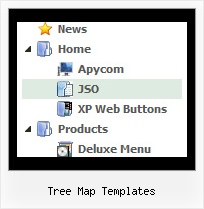
Template: Tree Map Templates
XP Style Orange State Saving Web Tree Menu
State Saving Web Tree Menu
There is no need to write additional code on a server side to remember what items were expanded/collapsed.
Javascript/DHTML Tree can save items state automatically!
Set the following parameter: var tsaveState = 1;
and the menu remembers its structure for each user who visit your page.
Try to expand/collapse items. Then reload the page and you'll see results.
State Saving Web Tree Menu
There is no need to write additional code on a server side to remember what items were expanded/collapsed.
Javascript/DHTML Tree can save items state automatically!
Set the following parameter: var tsaveState = 1;
and the menu remembers its structure for each user who visit your page.
Try to expand/collapse items. Then reload the page and you'll see results.
Key features:
- Vertical orientation of the Tree Menu
- Submenus expand/collapse on mouseover
- 3-state icons for each item
- Inactive/Disabled items
- Status string shows item labels
- Items with icons
- different speed for an animation for submenus
- Submenus automatically scrolls
- Vertical orientation of the Tree Menu
- Submenus expand/collapse on mouseover
- 3-state icons for each item
- Inactive/Disabled items
- Status string shows item labels
- Items with icons
- different speed for an animation for submenus
- Submenus automatically scrolls