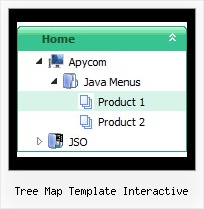
Recent Questions Tree Map Template Interactive
Q: I see you have a right click in expanding menu javascript, is this function available in JavaScript Tree Menu?
A: Unfortunately, you can't assign onmouseover/onClick/onContextMenu event to each item.
However, you can achieve this by using standard html objects within items, for example:
var menuitems = [
["<div onContextMenu='your_code_here'>item text</div>", ""]
];
Q: I can display time in 12 or 24 hour format in the dhtml date picker- however for the selection it only allows 24 hour format.
A: Try to specify date format in the following way:
%L %d, %Y, %l, %I:%M %p
So, you'll have: January 14, 2009, Jan, 03:50 pm
Q: Thank you for your quick service. Question for you, in the templates java expanding menu - Standard Tree Menu. There is an option to search by Index and also word query. When I bring the Template up I dont see this option on the sample menu. I'm I missing something or do I need to add it. If I need to add it can you explain to me how to do it.
A: You are able to paste any html code within java expanding menu items.
For example:
var tmenuItems = [
...
["<nobr><FORM method=GET action='http://www.google.com/custom'><input name='as_q' value='search
the web' size=15 style='font-size:10'> <INPUT type=hidden name=cof
value='LW:144;L:http://domain.edu/images/sulogo.gif;LH:45;AH:center;GL:0;S: http://domain.edu;AWFID:e01cb67b8afe383e;'></form></nobr>","", "images/icons/search.gif", "", "", "", "", "", "", "", "",],
You should write your own code within tmenuItem.
Q: I downloaded "DeLuxe Menu" and try to make a menu dynamic. I was having the impression, that every item could have it's own color. But nowhere in de program could I find how this had to be done. Every time I changed the color, weather it was under Appearance or Item Appearance, the color of the whole menu was changed.
Before I decide to buy your product, I need to know if separate coloring for the menu dynamic is possible.
A: You can create Individual Item style and assign it for the top items,for example:
var itemStyles = [
["itemBackColor=#8080FF,#FFFF80","itemBorderWidth=1","itemBorderStyle=solid,solid", "itemBorderColor=#000080,#FF8000","showByClick=0"],//style0
["itemBackColor=##FFFFF,#000000","itemBorderWidth=1","itemBorderStyle=solid,solid", "itemBorderColor=##AA0000,#0000EE","showByClick=0"],//style1
];
var menuItems = [
["Item 1","", "", "", "", "", "0", "", "", "", "", ], //style0
["Item 2","", "", "", "", "", "1", "", "", "", "", ], //style1
["|Item 3","", "", "", "", "", "", "", "", "", "", ],
["|Item 4","", "", "", "", "", "", "", "", "", "", ],
["Item 5","", "", "", "", "", "0", "", "", "", "", ], //style0
["|Item 7","", "", "", "", "", "", "", "", "", "", ],
["|Item 8","", "", "", "", "", "", "", "", "", "", ],
["Item 6","", "", "", "", "", "1", "", "", "", "", ], //style1
];