Recent Questions Ajax Tree Menu With Php
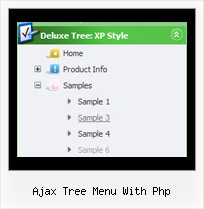
Q: On the same collapsible menus, is there any way to remove the spaces between the top items?
A: No, unfortunately there is no way to remove that space in XP Style
var tXPStyle=1;
If you use
var tXPStyle=0;
you can set the following parameter:
var titemHeight=18;
Q: I have an even more vexing issue. For some reason my arrows are showing up on the left side of each java dhtml menu item, it seems the arrows icons are also retaining the right side padding for the java dhtml menu items. Can you give me a hand with this?
A: Now you have the following java dhtml menu parameter:
var dmRTL=1;
You should set it to:
var dmRTL=0;
Q: In my script, I did not have [<script type="text/javascript"language="JavaScript1.2" src="dmenu.js"></script>].
I did have something like [<script type="text/javascript" src="dmenu.js"></script>].
What does that mean?
Also, my client is still seeing the "incorrect key" notice.
A: Regina, you can see "Incorrect Key" message if you use the wrong reg.
key or if you forgot to paste your reg. key into your data file.
I've checked your reg. key. It is correct.
So, you cannot see such message on your website.
Your client should clear browser cache.
> In my script, I did not have [<script type="text/javascript"> language="JavaScript1.2" src="dmenu.js"></script>].
>> I did have something like [<script type="text/javascript" src="dmenu.js"></script>].
Both these lines mean the same.
Please, paste <noscript> tag
<noscript><a href="http://deluxe-menu.com">Javascript Menu by Deluxe-Menu.com </a></noscript>
into the <head> tag on the pages with your menu.
Q: I place all of my files in folders. If I want the Deluxe menu to work I have to have the Deluxe menu saved in each folder for it to work with the files inside those folders.
A: There is no need to copy al files for the menu in each folder.
To install the menu you can use such paths:
<script type="text/javascript"> var dmWorkPath = "../menudir/";</script>
<script type="text/javascript" src="../menudir/dmenu.js"></script>
You can use additional parameters to make menu paths absolute:
var pathPrefix_img = "http://domain.com/images/";
var pathPrefix_link = "http://domain.com/pages/";
These parameters allow to make images and links paths absolute.
For example:
var pathPrefix_img = "http://domain.com/images/";
var pathPrefix_link = "http://domain.com/pages/";
var menuItems = [
["text", "index.html", "icon1.gif", "icon2.gif"],
];
So, link path will be look so:
http://domain.com/pages/index.html
Images paths will be look so:
http://domain.com/images/icon1.gif
http://domain.com/images/icon2.gif
Please, try to use these parameters.