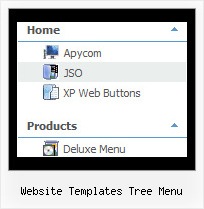
Recent Questions Website Templates Tree Menu
Q: Can you explain website drop down menu creation and implement in html files?
A: Unfortunately we don't have step by step tutorial yet.
We'll try to create it in the nearest time.
1. Create your menu in Deluxe Tuner.
When you open Deluxe Tuner you can click "File/New" and add items and subitems
using buttons "Add Item" and "Add Subitem" on the main window.
You should set items and subitems parameters on the "Item Parameters" window.
See also other parameters for the menu on the main window.
More info about menu parameters you can find on our site
http://deluxe-menu.com/parameters-info.html
http://deluxe-menu.com/menu-items-info.html
You can also use Individual Styles for items and subitems
http://deluxe-menu.com/individual-item-styles-info.html
http://deluxe-menu.com/individual-submenu-styles-info.html
2. You should install the menu on your page.
You can click, for example, File/Export to HTML.
So, you'll have folder with all engine files and images
("deluxe-menu.files/" folder by default), deluxe-menu.html file and
data-deluxe-menu.js file with all menu parameters.
Open deluxe-menu.html file in any text editor and copy several rows of
code into your page (for example index.html page of your website).
Copy and paste several rows into your html page (index.html).
<head>
...
<!-- JavaScript Tree Menu -->
<noscript><a href="http://deluxe-menu.com">Javascript Menu by Deluxe-Menu.com</a></noscript>
<script type="text/javascript" src="deluxe-menu.files/dmenu.js"></script>
...
</head>
<body>
...
<table>
<tr><td><script type="text/javascript" src="deluxe-menu.files/data-deluxe-menu.js"></script></td></tr> //data-deluxe-menu.js - data file createdin Deluxe Tuner.
</table>
...
</body>
You should also copy "deluxe-menu.files/" folder with all engine files
dmenu.js
dmenu_add.js
dmenu_dyn.js
dmenu_key.js
dmenu_cf.js
dmenu_popup.js
dmenu_ajax.js
dmenu_search.js
and data-deluxe-menu.js file into the same folder with your index.html page.
Try that.
You can see more info about installing here:
JavaScript Tree Menu
http://deluxe-menu.com/installation-info.html
Javascript/DHTML Tree
http://deluxe-tree.com/installation-info.html
Deluxe Popup Window
http://deluxepopupwindow.com/window-installation-info.html
Deluxe Tabs
http://deluxe-tabs.com/product-info/
Q: I appreciated your prompt response. However, if I set the exact height for easy tabs content, certain tab's content will not show up fully. We need to have every tab has different height in this site. Do you know why IE 7 doesn't behavior properly but IE 6 does? Can you provide a work around for me ASAP?
A: In that case you should delete height parameter at all from yourstyles.
<div id="content1" style="visibility: hidden;" class="tabPage">Q: My Submenu is faded too quickly if I pull the mouse away from the java drop down menu.
A: You can try to use JavaScript Tree Menu - this is a newer version of DHTMLMenu. You can use the following parameters there:
var smShowPause=200;
var smHidePause=5000;
Q: Do you have a few examples of how to create clickable links for html popup?
A: You can find such example here:
http://deluxepopupwindow.com/javascript-close-popup-safari.html
See how you should write your link:
<a class=sampleLink title="Click to open sample" href="javascript:;"
onClick="deluxePopupWindow.open('safari', 'New Popup window', '#2: Popup window',
width=250,height=50,resizable,minimizable,fullscreen,centerscreen,middle,right,,fade-effect,
opacity=0.95,floatable=no', 'windows_safari')">Click here to open</a>