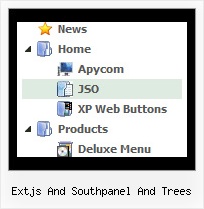
Recent Questions Extjs And Southpanel And Trees
Q: I'm just trying out your trial version of deluxe menu with the menu tuner for a current website I am building. But I don't know how to use a template for a menu. Could you please guide me in the right direction as soon as you can??
A: Unfortunately we don't have step by step tutorial now. We'll try tocreate it in the nearest time.
HTML version of Deluxe Tuner (MAC version) can be downloaded
http://deluxe-menu.com/deluxe-tuner-html.zip
See more info:
http://deluxe-menu.com/deluxe-tuner-info.html
1. Create your menu in Deluxe Tuner application.
You can create any menu as you like in Deluxe Tuner.
You can use ready to use templates. I'm sending you package with alltemplates. Just open data file in Deluxe Tuner.
Add items and subitems using buttons "Add Item" and "Add Subitem" onthe main window.
You should set items and subitems parameters on the "Item Parameters"window.
See also other parameters for the menu on the main window.
More info about menu parameters you can find on our site (you can alsouse local version of the site which you can find in the trial package"JavaScript Tree Menu / deluxe-menu.com /")
http://deluxe-menu.com/parameters-info.html
http://deluxe-menu.com/menu-items-info.html
You can also use Individual Styles for items and subitems
http://deluxe-menu.com/individual-item-styles-info.html
http://deluxe-menu.com/individual-submenu-styles-info.html
2. You should install the menu on your page.
Add several rows into your html page.
<head>
...
<!-- JavaScript Tree Menu -->
<noscript><a href="http://deluxe-menu.com">Javascript Menu by Deluxe-Menu.com</a></noscript>
<script type="text/javascript"> var dmWorkPath="deluxe-menu.files/";</script>
<script type="text/javascript" src="deluxe-menu.files/dmenu.js"></script>
<script type="text/javascript" src="data-deluxe-menu.js"></script> //data-deluxe-menu.js - data file created in Deluxe Tuner.
...
</head>
<body>
...
<table>
<tr><td><script type="text/javascript" src="deluxe-menu.files/data.js"></script></td></tr>
</table>
...
</body>
You should also copy all engine files
dmenu.js
dmenu4.js
dmenu_add.js
dmenu_dyn.js
dmenu_key.js
dmenu_cf.js
dmenu_popup.js
dmenu_ajax.js
into "deluxe-menu.files/" folder. You should place this folder in thesame folder with your index. html page.
Q: I love your product! I used it to create our top level navigation for the initial re-launch of our site in October and am now using Delux-tree to create a left navbar for a secondupdate to our site come Feb. 14th.
I have one question however, is it possible that when I expand "CRM" and then secondly expand "Contact Manager","CRM" then returns back to it's original states drop down menu? Please let me know, thanks!!
A: You should set the following parameter:
var tcloseExpandedXP=1;
Q: The only remaining problem I see is that the dhtml popup menu appears in slightly
different positions depending upon where your mouse touches the icon.
Is there a way to make the menu position absolute in respect to the icon?
I have tried playing with the menu item parameters that seemed related with no success.
A: See dm_popup() function parameters:
return dm_popup(menuInd, pause, event, x, y)
menuInd - index of the menu on a page, >= 0.
pause - determines the time when the menu will be hidden.
event - constant. Do not change.
x, y - optional. Set these parameters if you want the menu to appear in the specified place.
In other case the menu will be shown in the mouse position.
Q: I purchased your product yesterday and was quite impressed, but I am having a bit of a problem with my submenuitems.
In the general menu properties there is a "Global" var titemHeight = 22;
My problem is that I would like my upper level of my drop down menu to have one itemheight and my submenuitems to have a smaller height. Is this possible?
A: In the XP Style
var tXPStyle=1;
the item's height for the top items and submenus will be different.
If you want to use
var tXPStyle=0;
you can set ite's height for the submenus:
var titemHeight=16;
And for other items use the blank icon with the height you want to have for the upper level of your menu items.