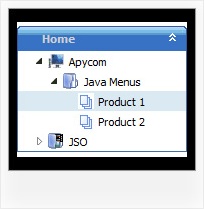
Recent Questions Family Tree Template For Website Embedding
Q: I need to work it with PHP/MySQL. I have found some information on it in your Support section, but have problems to understand and wonder if you have more information or a working sample of the loading bar with PHP/ MySQL.
A: Info about generating menu (menu items )from a database, please, see:
http://deluxe-menu.com/generate-menu-from-database-xml-php-asp-vb-support.html
Please, see the example of .php file.
The content of .php file depends on your database structure.
<?php
// The example for PHP/MySQL.
// MySQL database has the table "menuTable" that contains data for menu items.
// The table has the following fields:
// 1. "text" - item text
// 2. "link" - item link
// 3. "icon1" - item icon (normal state)
// 4. "icon2" - item icon (mouseover state)
function getMenuItems()
{
$jsItems = '';
// Select all records from table "menuTable"
$allItems = mysql_query('SELECT * FROM menuTable;');
// Extract items data from database and build Javascript code for menuItems
while ($itemData=mysql_fetch_array($allItems))
{
$jsItems .= '["'.$itemData['text'].'", "'.$itemData['link'].'", "'.$itemData['icon1'].'", "'.$itemData['icon2'].'"],';
}
// Return Javascript code
return $jsItems;
}
?>
<script>
var menuParam1 = value1;
var menuParam2 = value2;
var menuParam2 = value2;
...
var menuItems = [
<?php
// Write Javascript code for menu items
echo getMenuItems();
?>
];
</script>
Q: I need a way to change tabs with buttons AFTER THE PAGE IS RENDERED. This means bselecteditem is useless to me at this point.
I want to have a button called NEXT on TAB 1, and when you press that button, it switches you to TAB 2. Likewise on TAB 2 I want to have a button called NEXT that when pressed will switch you to TAB 3.
I don't want to have to post back to the server to make this work, I want a way of Javascript to change the tab indexes.
How can I do this?
A: Try to use the following function:
LTb0(menuN,itemN);
menuN - menu ID, starts with 0
itemN - item ID, starts with 0
Q: I was testing yout JavaScript Tree Menu product and have a couple questions.
Is it possible to use the AXAJ-Like technology in popup mode?
Is it possible to use the Javascript-API in popup mode?
If so, do you have working samples of them.
A: You can use AJAX-Like Technology and Javascript API in pop up mode in the same way.
You can find all need info on our site. For more info, please, see:
http://deluxe-menu.com/ajax-technology-menu-sample.html
http://deluxe-menu.com/dynamic-functions-sample.html
Q: Is it possible via code customization to remove the border only forthe top level of js dropdown menu?
A: You can use Individual Item Style in that case.
You should create Individual Style, for example:
var itemStyles = [
["itemBorderStyle=none,none"], // style 0
];
And assign it for top items:
var menuItems = [
["Home","testlink.html", "", "", "", "", "0", "", "", "", "", ], // assign style 0
["Product Info","", "", "", "", "", "0", "", "", "", "", ], // assign style 0
["|Features","testlink.html", "", "", "", "", "", "", "", "", "", ],
["|Installation","", "", "", "", "", "", "", "", "", "", ],
["|Supported Browsers","", "", "", "", "", "", "", "", "", "", ],
["||Windows OS","", "", "", "", "", "", "", "", "", "", ],
["||Internet Explorer","", "", "", "", "", "", "", "", "", "", ],
["||Firefox","", "", "", "", "", "", "", "", "", "", ],
["Samples","", "", "", "", "", "0", "", "", "", "", ], // assign style 0
["|Sample 1","testlink.html", "", "", "", "", "", "", "", "", "", ],
["|Sample 2 is Disabled","testlink.html", "", "", "", "_", "", "", "", "", "", ],
["Contact Us","testlink.htm", "", "", "", "", "0", "", "", "", "", ], // assign style 0
];
More info you'll find here:
http://deluxe-menu.com/individual-item-styles-info.html