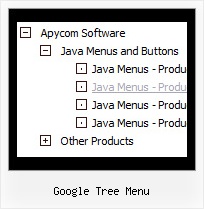
Recent Questions Google Tree Menu
Q: I used your trial version. In my application, I need one column of submenu to be displayed, all other columns should be closed.
A: You should adjust the following parameters, for example you should write so:
var transDuration=350; //Delay of a transitional effect (in ms) on submenu's showing.
var transDuration2=200; //Delay of a transitional effect (in ms) on submenu's hiding.
Q: I have deluxe-menu 3.2.5 and now I can't open my old menu files. I get thefollowing error message in dhtml menu creator "Can't open the file:
H:\data-menu.js. Check youre encode parameter." I have tried to open several different menu files and I always get the same error message. Do you have any solution of this problem?
A: You should change Deluxe Tuner settings:
Try to turn off the encoding property "Tools/use utf8 encode" and open your datafile once again.
Q: I'm trying to install the menu. (I'm developping a new site im Dreamweaver). It does not work. Please help me.
A: Сould you write what exact problems do you have with themenu?
JavaScript Tree Menu wasn't developed as Dreamweaver/FrontpageBuilder extension,
BUT you can use it as standard Javascript files. To install the menuinto your html page:
1. open the page in Dreamweaver/Frontpage
2. open html source code of the page
3. add several rows of code (<script> tags), For info see: http://deluxe-menu.com/installation-info.html
That's all.
To create and configure your menus use Deluxe Tuner application
(included into the trial package): http://deluxe-menu.com/deluxe-tuner-info.html
You can also send us a copy of your html page (including .js files) and we will check it.
Q: I have the menu working perfectly on the main page of the website,but when I try to install menu javascripts onto html files that appear in subfolders of the site, the images do not appear.
A: You can use additional parameters to make menu paths absolute:
var pathPrefix_img = "http://domain.com/images/";
var pathPrefix_link = "http://domain.com/pages/";
These parameters allow to make images and links paths absolute.
For example:
var pathPrefix_img = "http://domain.com/images/";
var pathPrefix_link = "http://domain.com/pages/";
var menuItems = [
["text", "index.html", "icon1.gif", "icon2.gif"],
];
So, link path will be look so:
http://domain.com/pages/index.html
Images paths will be look so:
http://domain.com/images/icon1.gif
http://domain.com/images/icon2.gif
Please, try to use these parameters.