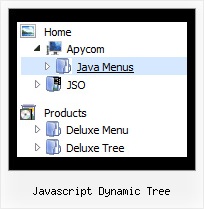
Recent Questions Javascript Dynamic Tree
Q: I am interested in your Javascript/DHTML Tree Menu. For testing purposes, i downloaded the trial version of your software, but realized that the Textboxes an comboboxes, as shown in the samples on your website, are not included in the demo version. As i am interested in right this feature, could you please tell me where i can find more information about how creating such input boxes in the css expanding menu, and maybe also if there is a possibility to change the menu and write the changed one into a database?
A: You are able to paste any html code within items.
For example:
var tmenuItems = [
...
["||<nobr><FORM method=GET action='http://www.google.com/custom'><input name='as_q'
value='searchthe web' size=15 style='font-size:10'> <INPUT type=hidden name=cof
value='LW:144;L:http://domain.edu/images/sulogo.gif;LH:45;AH:center;GL:0;S:
http://domain.edu;AWFID:e01cb67b8afe383e;'></form></nobr>","",
"images/icons/search.gif", "", "", "", "", "2", "", "", "",],
Try that.
Q: Is there any way to change the font size of the secondary and tertiary links but yet have a different font size for the primary links?
A: You can use different font style for each link on each level.
You should use Individual Item Styles.
Please, use Dhtml Tuner application to create individual styles.
For example:
// --- DHTML Tuner style names ---
var tstylesNames=["Individual Style 1","Individual Style 2","Individual Style 3","Individual Style 4","New Individual Style",];
var tXPStylesNames=["Individual Style 1",];
var tstyles = [
["tfontStyle=bold 8pt Tahoma","titemBackColor=#265BCC,#265BCC","tfontColor=#FFFFFF,#428EFF","tfontDecoration=none,none"],
//style 0 ["tfontStyle=bold 8pt Tahoma","titemBackColor=#265BCC,#265BCC","tfontColor=#215DC6,#428EFF","tfontDecoration=none,none"],
//style 1 ["tfontDecoration=none,none"],
//style 2
["tfontStyle=normal 8pt Tahoma","tfontColor=#013D6D,#5555FF"],
//style 3
["tfontStyle=bold 11px Bookman Old Style","tfontColor=#000000,#000000","tfontDecoration=none,underline"],
//style 4
];
var tmenuItems = [
["+DHTML Menus","", "images/xpicon1.gif", , , "DHTML Menus", , "0", , , , ],
//style 0
["|DHTML Menu","http://dhtml-menu.com", "images/icon1.gif", "images/icon1o.gif", "images/icon1o.gif", "Information", "_self", , , , , ],
["|+DHTML Tree Menu","", "images/icon1.gif", "images/icon1o.gif", "images/icon1o.gif", "Support", "_self", "2", , , , ],
//style 2
["||2 styles: standard & XP","", , , , , , "3", , , , ],
//style 3
["|||Item 23","", , , , , , "4", , , , ],
//style 4
["|||Item 24","", , , , , , , , , , ],
["||Individual Item & Submenu Styles","", , , , , , "3", , , , ],
//style 3
["||Floatable & Movable Menu","", , , , , , "3", , , , ],
//style 3
....
Q: I was wondering if there is a way to disable links in the dhtml context menu on a page.
A: To disable your menu items you should set the following parameter to disable all items:
var itemTarget="_";
Or you can disable items individually.
["Home","testlink.html", "", "", "", "_", "", "", "", "", "", ], //disabled
["Product Info","", "", "", "", "", "", "", "", "", "", ],
["|Features","testlink.html", "", "", "", "_", "", "", "", "", "", ], //disabled
["|Installation","", "", "", "", "", "", "", "", "", "", ],
You can also use function dm_ext_changeItem (menuInd, submenuInd, itemInd, iParams)
function to disable items on-the-fly, for example:
dm_ext_changeItem (0, 2, 3, ["", "", "", "", "", "_", "", "", ""]);
Q: Could it be possible to explain to me how to create cross-frame horizontal navigation bar..
A: To initialize the cross frame menu call dm_initFrame()
function instead of standard dm_init() function within data.js file:
dm_initFrame(framesetID, mainFrameInd, subFrameInd, orientation);
framesetID - id attribute of the frameset;
mainFrameInd - index of the main frame (where the top-menu is placed), >=0;
subFrameInd - index of the subframe (where the submenus will be shown), >=0;
orientation - frame orientaion: 0 - top-to-bottom, 1 - left-to-right; 2 - bottom-to-top; 3 - right-to-left.
So you should create your menu in Deluxe Tuner, save it.
Create html file with your frame set.
Set ID for the first frameset:
<FRAMESET id=frmSet rows=220,*>
<FRAME id=frame1 src="JavaScript Tree Menu Samples_files/cross-frame-horizontal-1.htm"> //menu frame
<FRAME id=frame2 name=frame2 src="JavaScript Tree Menu Samples_files/testlink.htm"> //content frame
</FRAMESET>
Then you should open your data file in any text editor and changedm_init();
for example to dm_initFrame("frmSet", 0, 1, 0);
You'll find more info here:
http://deluxe-menu.com/cross-frame-mode-sample.html