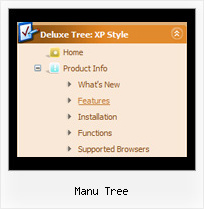
Recent Questions Manu Tree
Q: Hello, I am trying to figure out how to use the Dynamic functionality in the java menu codes. I believe I want to use something like the dm_ext_changeItemVisibility function, and I want it to be dependent on HTML wrapped around the menu item.
Below is functionally how I want it to work:
Show menu item 1
Show menu item 2
<if condition="!is_member_of($bbuserinfo,10)">
Show menu item 3
</if>
Show menu item 4
Is there an example you can share that does something like this? I searched the site and could not find an answer.
A: Yes it's possible, please see
http://deluxe-menu.com/dynamic-functions-sample.html
Disable "Product Info/Installation" item.
and
Hide / show "Samples" item.
You can call these function via javascript depending on your conditions.
Q: I can't figure out how to change the names of each tab for the simple dhtml tabs!
A: You can set the name of each tab in the Deluxe Tuner.
Double click on the item name in the Items area.
Or set the name of the tab using var bmenuItems:
var bmenuItems = [
["Name of Tab1","content1", "", "", "", "", "1", "", "", ],
["-","", "", "", "", "", "0", "", "", ],
["Name of Tab2","content2", "", "", "", "", "", "", "", ],
["-","", "", "", "", "", "0", "", "", ],
["Name of Tab2","content3", "", "", "", "", "", "", "", ],
["-","", "", "", "", "", "0", "", "", ],
["Contact us","content4", "", "", "", "", "2", "", "", ],
];
Q: I want to have one of the drop menus use a different image.
I am using thevista images and would like to have all of them but one use the same imageand the last one a different one. Can this be done?
If not I was able to adda second menu with the different image but for some reason the second menuwill not drop down. Can you help me with either of these?
A: You should create Individual Style for the last item and assign another image for it.
var itemStyles = [
["itemWidth=92px","itemHeight=21px","itemBackColor=transparent,transparent","fontStyle=normal 11pxTahoma","fontColor=#FFFFFF,#FFFFFF","itemBackImage=data-vista-01.files/btn_black.gif,data-vista-01.files/btn_black_blue.gif"],
["itemWidth=92px","itemHeight=21px","itemBackColor=transparent,transparent","itemBackImage=data-vista-2-03.files/btn_green.gif,data-vista-2-03.files/btn_green2.gif","fontStyle='normal11px Tahoma','normal 11px Tahoma'","fontColor=#FFFFFF,#FFFFFF"],];
var menuItems = [
["Home","testlink.html", "", "", "", "", "0", "0", "", "", "", ], //style 0
["Product Info","", "", "", "", "", "0", "", "", "", "", ], //style 0
...
["Purchase","http://deluxe-menu.com/order-purchase.html", "", "", "", "_blank", "0", "", "", "", "", ], //style 0
["Contact Us","testlink.htm", "", "", "", "", "1", "", "", "", "", ], //style 1];
Q: Do you support keyboard shortcuts (up/down through javascript for drop down menu)? I couldn't find an example of that.
Also, this one from OpenCube (exploding submenus) runs on Firefox too. No way to get that in yours?
A: No, JavaScript Tree Menu doesn't support transitional effect in Firefox. Thereis no way to do it in the current version of the menu. It is possiblethat we'll add this feature in the next versions.
JavaScript Tree Menu has keyboard support. You can check it on our website
http://deluxe-menu.com/
Press Ctrl+F2 to enter/switch to next menu on the page.
Arrow keys - navigate
Esc - exit the menu
Use the following parameter to enable keystrokes support:
var keystrokes = 1;
0 - disabled (default), 1 - enabled.
Use also the following parameters:
var dm_focus = 1; Show focus selection for selected item.
var dm_actKey = 113; Key code for keystrokes activation.
Works with Ctrl key only.
Default value is 113 = F2 key, 114 = F3 key, 115 = F4 key, etc.