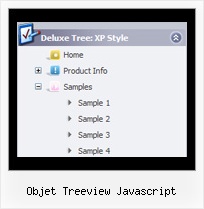
Recent Questions Objet Treeview Javascript
Q: Your floatable menu only works for deluxe menu and not cool tab menu.
Is this feature available or no? I put floatable menu = 1 and it does not do anything.
A: Floatable feature in cool tab menu works only with absolute position:
var babsolute=1;
Q: I contact you because this morning we have bought a single license of your deluxe tree menu for our web site www.roderstore.com All features of tree menu work good when I try it on local computer.
When I send the files on web site there is the problem that we must work on different directory : the script must be saved in a directory and the html page with menu inside is installed in another directory.
We can't save the script inside the directory of html pages because there are a lot of pages that call the tree menu, in different levels of path.
In the header of html page I have write the absolute path of script ( http://www.domain.com/menu/it/deluxe-menu.files/ ) and I have called the source of script with all absolute path.
The problem is that the tree javascript moving menu is visible, the function are OK ( expand and collapse are OK ) but the tree don't have the images !
I presume that the problem is the different directory of script and html page ?
What can we do ?
A: You can try to use absolute path to your images. To do it you shouldset the following javascript moving menu parameter:
var tpathPrefix_img="http://www.domain.com/menu/it/deluxe-menu.files/";
You can also send us a direct link to your website, so we can check it.
Q: Ich habe Kauf Ihr Produkt vor einer Weile, aber ich habe eine Frage. Wenn es einen submenu gibt, den die Software collaps ein + Knopf der submenu hinzufügt. Meine Frage ist, kann ich dem Hauptpunkt eine Verbindung hinzufügen, damit wenn der Verbraucher es, das Menü Wille collaps ebenso anklickt?
Zum Beispiel wenn Sie anschauen Sie Beispiel das es gibt eine Funktion „Produktinfo“ die ich collaps jenesMenu" durch Anklicken vom + Symbol kann, aber ist es auch möglich, ihm collaps zu lassen, wenn ich„Produktinfo“ sich klicken würde.
Es wäre ein nettes Kennzeichen.
Ein:Dank für Ihr Interesse in unseren Produkten.
Sie sollen den Folgenden Parameter setzen:
var texpandItemClick = 1;
>Kehren Sie zu Neuen Fragen zurückQ: I want to purchase the software using the company credit card, my question is do I get automatically a registration number for immediate use or it will be sent via post mail. I need to use the dhtml menu script right now so the post mail is not an option.
Please reply ASAP.
A: We do not accept payments directly and use share-it paymentprocessing service.
We use ShareIt service to process orders.
ShareIt! Inc.
element 5 GmbH
9625 West 76th Street, Suite 150
Eden Prairie, MN 55344, USA
After the ordering is complete and ShareIt has it verified(which can take approximately 24 hours), you'll get your license info.