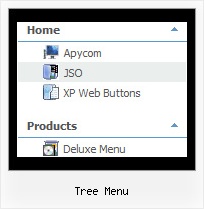
Tree Menu by Deluxe-Tree.com
Tree Menu


Buy Now!  Free Trial Download

Menu Screenshots Tree Menu

Tree Menu Tree Navbar Generator

Features Tree Menu

Seamless Integration
  • Visible over flash, select boxes, iframes, java applets
  • Multiple menus on the same page
  • Amicable to other scripts and css styles
  • Any HTML code can be used inside menu items
Cost Effective
Tree Coolmenus Website Tree Menu
Easy Setup
  • De Luxe Tuner. GUI interface to create your tree menu menus easily and in no time
  • Sensible menu parameters for manual editing
Compatibility              
  • Full cross-browser compatibility including IE, Netscape, Mozilla, Opera, Firefox, Konqueror and Safari on Windows, Mac OS and Linux
  • Menu can be populated from a database using ASP, PHP, etc.
  • Search engine friendly
  • Support for any doctypes
  • Fits for secure sites
High Performance
  • AJAX menu loading - loads web menu data from the server "on-the-fly".
  • Commonly loads quicker than other html page elements
  • Runs well with an unlimited number of submenus and items
Buy Now!  Free Trial Download

Javascript Tree Menu. Expandable Menu.

  • You can set the size of the menu in pixels, percent or other units. The menu may have an absolute or relative position (it can be inserted into the table).
  • Use any necessary font of any color, size and font decoration. Create any available type, thickness and color of a menu.Choose any color for backgrounds of submenus and items. Use special prefixes for image paths and links to make paths absolute.
  • You can assign your own images for lines.

Recent Questions Tree Menu

Q: Is it possible that the click drop down menu Trasistional Effects@Filters doesn't really work by Firefox? only by IE?. For example 4Wipe up thing.

A: Filters and transitional effects are features of Internet Explorer5.5+ only.

See more info here:

http://www.deluxe-menu.com/filters-and-effects-sample.html


Q: I need to create a popup menu in javascript triggered from a flash movie button. Is this possible, and if so, do you have any documentation on this? (coding for flash button, etc)

A: Unfortunately you cannot assign OnClick or OnContextMenu event forflash file.


Q: I've just updated my menu from 2.4 to 3.2. All is fine except two of my java script pop up menu (vertical) appear on the left instead of the right, all the others pop out to the right as before. I've tried saving it as a completely different file name, same problem, both within a browser and within your preview pane.

Any help would be much appreciated, I'm at a loss.

A: You can try to change the following parameter:

  var subMenuAlign="left";

You can also send us a direct link to your website, so we can check it.


Q: I have been playing around with the demo version 2.4 of deluxe tabs, and have a couple of questions & comments:

Deluxe Tabs appears to not work at all on Windows Vista machines running Internet Explorer. This includes for example that the content in the dhtml tabs simply does not appear. Is there a fix for this?

Just want to make sure I can resolve these issues before making a purchase.

A: Try to use the latest version of Deluxe Tabs v3.2.9.

Try to delete height: 0%; parameter from the styles:

<div id="content1" style="height: 0%; visibility: hidden;" class="tabPage">

So you'll have:

<div id="content1" style="visibility: hidden;" class="tabPage">