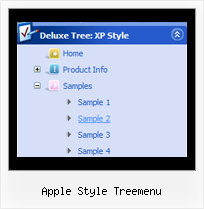
Apple Style Treemenu by Deluxe-Tree.com
Apple Style Treemenu


Buy Now!  Free Trial Download

Menu Screenshots Apple Style Treemenu

Apple Style Treemenu Dropdown Tree Menu

Features Apple Style Treemenu

Seamless Integration
  • Visible over flash, select boxes, iframes, java applets
  • Multiple menus on the same page
  • Amicable to other scripts and css styles
  • Any HTML code can be used inside menu items
High Performance
  • AJAX menu loading - loads web menu data from the server "on-the-fly".
  • Commonly loads quicker than other html page elements
  • Runs well with an unlimited number of submenus and items
Tree Xml Cascading Menu Apple Style Treemenu
Compatibility              
  • Full cross-browser compatibility including IE, Netscape, Mozilla, Opera, Firefox, Konqueror and Safari on Windows, Mac OS and Linux
  • Menu can be populated from a database using ASP, PHP, etc.
  • Search engine friendly
  • Support for any doctypes
  • Fits for secure sites
Cost Effective
Easy Setup
  • De Luxe Tuner. GUI interface to create your apple style treemenu menus easily and in no time
  • Sensible menu parameters for manual editing
Buy Now!  Free Trial Download

Javascript Tree Menu. Expandable Menu.

  • Use a mouse to move a menu as a usual window.
  • When the page is scrolled the menu remains visible. The menu can "float" along one or two coordinate axes. After clicking on menu item selected item becomes highlighted.
  • There can be as many submenus as necessary. Any submenu in its turn can include different number of columns.

Recent Questions Apple Style Treemenu

Q: I am contacting you on behalf of my client World of Envelopes as they currently use your menus. We are currently running their SEO campaign and would like to know what is search engine friendly about your new javascript hover menu?

Would it be possible for you to provide me with an example of a client that is currently using this new menu so I can assess the SEO ability of this menu.

A: You should generate search engine friendly code and install it on yourpage.
JavaScript Tree Menu is a search engine friendly menu since v1.12.
To create a search engine friendly javascript hover menu you should add additional html code within your html page:

<div id="dmlinks">
<a href="http://deluxe-menu.com">menu_item_text1</a>
<a href="http://deluxe-tree.com">menu_item_text2</a>
...etc.
</div>

To generate such a code use Deluxe Tuner application.

Run Tuner, load your menu and click Tools/Generate SE-friendly Code (F3).

We use search engine friendly code on our website,
http://deluxe-menu.com

You can view source of the page.


Q: Is there any way of setting the height of individual items in a vertical menu as I need to have some buttons bigger than others.


A: You can use <br> tags in the item text.

For example:

["Samples<br>Samples","", "", "", "", "", "", "", "", ],


Q: I want to make a Treemenu with AJAX.

If I look in the dhtml menu tool preview all is good.

But if I put it in a html, it does not function anymore.

I'm using Version 3.2.6.12 (you sent me a while ago)

A: There is a bug in the current version of Deluxe Tuner. It doesn't saveengine file for AJAX menu - dtree_ajax.js.

Please, copy it manually now. We'll correct this bug in the nextversion.

You should also add tWorkPath parameter in your html page.
<!-- Javascript/DHTML Tree -->
<noscript><a href="http://deluxe-tree.com">dhtml menu tool by Deluxe-Tree.com</a></noscript>
<script type="text/javascript">  var tWorkPath="menu.files/";</script>
<script type="text/javascript" src="menu.files/dtree.js"></script>
<!-- (c) 2006, http://deluxe-tree.com -->


Q: I was wondering if there is a way to disable links in the dhtml context menu on a page.


A: To disable your menu items you should set the following parameter to disable all items:

  var itemTarget="_";

Or you can disable items individually.

["Home","testlink.html", "", "", "", "_", "", "", "", "", "", ], //disabled
["Product Info","", "", "", "", "", "", "", "", "", "", ],
 ["|Features","testlink.html", "", "", "", "_", "", "", "", "", "", ], //disabled
 ["|Installation","", "", "", "", "", "", "", "", "", "", ],

You can also use function dm_ext_changeItem (menuInd, submenuInd, itemInd, iParams)
function to disable items on-the-fly, for example:

dm_ext_changeItem (0, 2, 3, ["", "", "", "", "", "_", "", "", ""]);