Mysql Javascript Treeview by Deluxe-Tree.com
Mysql Javascript Treeview


Buy Now!  Free Trial Download

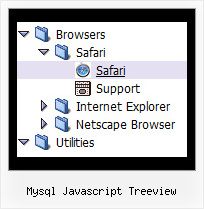
Menu Screenshots Mysql Javascript Treeview

Mysql Javascript Treeview Top Bar Navigation Tree

Features Mysql Javascript Treeview

Easy Setup
  • De Luxe Tuner. GUI interface to create your mysql javascript treeview menus easily and in no time
  • Sensible menu parameters for manual editing
Professional Look-n-feel
  • Entirely customizable look-n-feel
  • A lot of pre-designed mysql javascript treeview samples
  • Hundreds of visual effects
  • Custom CSS styles can be applied for all menu settings
Crossframe Tree Menus Mysql Javascript Treeview
Unrivalled Features
  • Scrollable, dragable, floating
  • Unique Java Script API for altering menu "on-the-fly", without page reloading
  • AJAX technology - loads menu data from the server "on-fly and on-demand".
Seamless Integration
  • Visible over flash, select boxes, iframes, java applets
  • Multiple menus on the same page
  • Amicable to other scripts and css styles
  • Any HTML code can be used inside menu items
Cost Effective
Buy Now!  Free Trial Download

Javascript Tree Menu. Expandable Menu.

  • There is no need to write additional code on a server side to remember what items were expanded/collapsed. Javascript/DHTML Tree can save items state automatically!
  • When the submenu is bigger than the visible page area, you can use the scollbar for submenus to scroll your menu!

Recent Questions Mysql Javascript Treeview

Q: I am curious why there are no font settings for "Individual Styles" for"Submenu styles".

Basically I want to have a different font and color for my submenu items so they appear differently than the normal primary Items - but it seems there is only two options for fonts:

- The global font parameters affecting all fonts (primary and sub).
- And the Individial Styles for primary Item Styles.

Why no font paramenters for Submenu Items?


A: You can assign Item Style for the submenu item too.

See the example:

  var itemStyles = [
["fontStyle=normal 13px Comic Sans MS"], //item style 0
];
  var menuStyles = [
];

["Product Info","", "default.files/icon1.gif", "default.files/icon1o.gif", , , "0", , , ], //item style 0
   ["||How To Setup","testlink.html", "default.files/icon6.gif", "default.files/icon6o.gif", , , "0", , , ], //item style 0


Q: I am interested in purchasing your product (in particular – Mac Tabs). I downloaded a trial to test Mac Tabs. The trial Mac Tabs is not the same as shown on your website where the “links” appear horizontally under the “tab”. In this trial version the “links” appear as tabs also and not in a horizontal bar under the tab.

In testing the XP Tabs trial, I found it worked correctly.

Is there something wrong with the trial version of Mac Tabs?


A: See, if you want to add links to the tabs you should create your tabmenu in Tab mode.
  var tabMode=1;

You can find all instructions how to create such tabs in the Templatewindow "MAC" tab.

You should add subitems for the items and assign Tab Style for thesubitems.

For example try to use MAC Style 2 Tab Mode.


Q: I can not figure out why my submenus are not opening next to the javascript menu horizontal? I have included a picture so you can see what I am talking about. When I am in the turner program they pop up just fine but on my website they don't.

A: See, the problem is that the script can't get css properties of the object if they are described in separate .css block (or file).In other words, you can't get the value of "POSITION: absolute" attribute of the object if the object doesn't have this property within inline style (style="POSITION:absolute;"). To get the value you should move .css style into style="" attribute.

Please, try to add your
css file -> inline css, for example:

You should add style="POSITION: absolute; TOP: 0px"

to the

<div id=div_name>

So, you'll have:

<DIV id=div_name style="POSITION: absolute; TOP: 0px">
Try that.


Q: I would like to call a popup window with javascript from a menu item.

A: You should add the code for popup window on your html page with the menu:
<!-- Deluxe Popup Window -->
<noscript><a href="http://deluxepopupwindow.com">menu drop down by DeluxePopupWindow.com</a></noscript>
<script type="text/javascript" src="deluxe-popup-window.files/dpopupwindow.js"></script>
<script type="text/javascript" src="deluxe-popup-window.js"></script>
<!-- (c) 2006, DeluxePopupWindow.com -->

Inside menuItems you should open the window in the following way:

["Click to open Popup Window","javascript:deluxePopupWindow.open('window1',
'http://deluxepopupwindow.com', 'Popup window',
'width=420,height=300,resizable,scrollbars=no,middle,right,fade-effect',
'windowsvista_graphite','iframe')",
"", "", "", "", "0", "", "", "", "", ],

More info about deluxePopupWindow.open() method you can find here:
http://deluxepopupwindow.com/window-installation-info.html