Css Trees by Deluxe-Tree.com
Css Trees


Buy Now!  Free Trial Download

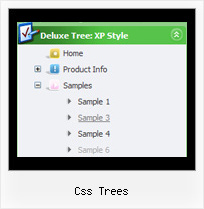
Menu Screenshots Css Trees

Css Trees Expand Vertical Menu Tree

Features Css Trees

Cost Effective
Professional Look-n-feel
  • Entirely customizable look-n-feel
  • A lot of pre-designed css trees samples
  • Hundreds of visual effects
  • Custom CSS styles can be applied for all menu settings
Menu Tree Html Css Trees
Unrivalled Features
  • Scrollable, dragable, floating
  • Unique Java Script API for altering menu "on-the-fly", without page reloading
  • AJAX technology - loads menu data from the server "on-fly and on-demand".
Compatibility              
  • Full cross-browser compatibility including IE, Netscape, Mozilla, Opera, Firefox, Konqueror and Safari on Windows, Mac OS and Linux
  • Menu can be populated from a database using ASP, PHP, etc.
  • Search engine friendly
  • Support for any doctypes
  • Fits for secure sites
Easy Setup
  • De Luxe Tuner. GUI interface to create your css trees menus easily and in no time
  • Sensible menu parameters for manual editing
Buy Now!  Free Trial Download

Javascript Tree Menu. Expandable Menu.

  • There is no need to write additional code on a server side to remember what items were expanded/collapsed. Javascript/DHTML Tree can save items state automatically!
  • When the submenu is bigger than the visible page area, you can use the scollbar for submenus to scroll your menu!

Recent Questions Css Trees

Q: For how long our purchase does entitle us to getting the upgrades for the dhtml menu software?

A: All minor upgrades you'll get for free (for example, 2.4->2.7).
All major upgrades you'll get for free during 1 year (for example, 2.4->3.0).

For example, if there's some major upgrades (1.7 -> 2.0 -> 4.0)
you'll get them for free during one year.

But if there'll be no major upgrades during some period (2.72 -> 2.81 -> 2.92). And after 3 year, for example, there will be major upgrade to 3.0. So you can upgrade for free.

We can offer you a big discount for the major upgrade after one year.


Q: I have just bought the software and created a first menu.

As you can see the sub-menus appear away for the menu/navigation bar.

This doesnТt happen when I put the code into an .html file without any divs.

Can you suggest what the problem might be here?


A: The problem is that the script can't get css properties of the object if they are described in separate .css block (or file).
In other words, you can't get the value of "position" attribute of the object if the object doesn't have this property within inline style(style="position:absolute"). To get the value you should move .css style into style="" attribute.

Please, try to add your
css file -> inline css, for example:

You should add <DIV id=nav_bar_main>

to the

style="position:absolute;"

So, you'll have:

<DIV id=nav_bar_main style="position:absolute;">

Check that.


Q: How can we add a css horizontal dropdown menu separator? I’ve tried the following code but it only adds a menu item with the text “|-“ which is unselectable.

dm_ext_addItem(0, 1,  ["|-"])

A: You should add separator without "|" symbol:

dm_ext_addItem(0, 1, ["-"], 1);


Q: Can you please tell me how many licenses for javascript menu code are included in the Multiple License purchase for JavaScript Tree Menu Tuner?

A: See Deluxe Tuner it is a free software. You can find it in the trialversion.

With Multiple Website License you can use the menu on the unlimitednumber of Internet/Intranet sites. You generate your own reg. keysfor these websites.