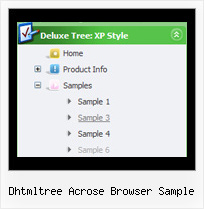
Recent Questions Dhtmltree Acrose Browser Sample
Q: I recently downloaded JavaScript Tree Menu to try before I buy. While it was easy to create a menu, when I followed the directions for pasting in the two lines of code where I wanted the menu to appear, it didn't work. Rather, it always positioned the menu at the very top of the page.
Is this intentionally the case because this is a trial version?
I very much like the program; however, I have to know it's going to work correctly before I buy.
A: Info about installation of the menu on your html page you can findhere:
http://deluxe-menu.com/installation-info.html
> Rather, it always positioned the menu at the very
> top of the page.
Please, check that you have
var absolutePos=0;
You can also send us a copy of your html page (including .js files) and we will check it.
Q: I have configured the Deluxe Tabs menu for the purpose that this menu will form the basis of a website's navigation, once clicked a tab it will take you to the appropriate page.
However one problem I have faced is that menu, regardless of current webpage will display the same active/ selected menu item, having looked in the menu parameters I know that the following set the positions of the selected tab :
* var bselectedItem=0;
* var bselectedSmItem=0;
Is there anyway of selecting the dhtml tab menu index location according to what webpage you are on? On your website it shows an example of a PHP server-side script, however is there an example of this in ASP ?
A: No, unfortunately we don't have such examples in ASP.
Deluxe Tabs doesn't support API functions which can return theselected tab also.
You can set "bselectedItem" and " var bselectedSmItem" parametersbased on your link before you call your data file.
For example, move " var bselectedItem" and " var bselectedSmItem" parametersfrom your data file to your code.
<TD vAlign=top align=left>
/* Select Tab */
<script type="text/javascript" language="JavaScript1.2">
var bselectedItem=<?php echo $seltabs; ?>;
var bselectedSmItem=<?php echo $selsmtabs; ?>;
</script>
<SCRIPT src="data.js" type=text/javascript></SCRIPT>
</TD>
You should define seltabs and selsmtabs using server side script.
You can also set it on every page before you call data.js file, forexample:
<TD vAlign=top align=left>
/* Select Tab */
<script type="text/javascript" language="JavaScript1.2">
var bselectedItem=4;
var bselectedSmItem=3;
</script>
<SCRIPT src="data.js" type=text/javascript></SCRIPT>
</TD>
Q: I am working on creating a new navigation menu with Tree menu.
I wonder how I can reduce the width of the menu?
A: You should set this parameter
var tmenuWidth = "275px";
Try to set also the following parameters:
var tlevelDX = 0;
var tnoWrap=0;
Q: I am using Deluxe-menu 3.0.
I can add dhtml popup menu items and submenu items. Each new sub menu item is placed at the bottom of that list. How can I move it up in the listing.
For instance if my menus are:
2007
2006
2005
2004
and I add 2008 - it will be placed below 2004, but I want it at the top of the list. Each item in the list has multiple subitems, so I don't want to delete the other items to get it in the correct order.
I looked through your help file, FAQ and online questions and could not find an answer.
A: To move items select items you want and use a mouse drag'n'drop method.
To copy dhtml popup menu items select those you want and use a mouse drag'n'drop method holding a Ctrl key.
You can find this info in Tuner's help, "Main Window" sheet.