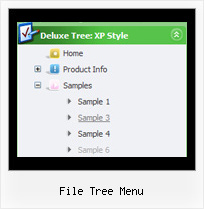
Recent Questions File Tree Menu
Q: I am considering ordering your product, but I have a few questions. My site uses frames, such that the submenus display in a different frame than the top level. Do all your dhtml menu templates support frames in this manner. I am specifically interested in the Ajax and Dynamic DHTML Menu.
Are your products licensed individually or does one license get access to Ajax, Dynamic, etc.? I understand the single, multi, and developer options.
A: See you can create JavaScript Tree Menu in cross-frame mode.
See more info about cross-frame mode here:
http://deluxe-menu.com/cross-frame-mode-sample.html
JavaScript Tree Menu has the following features:
Ajax support
Cross frame support
Dynamic Menu - Javascript API
Popup mode
and others.
> Are your products licensed individually or does one license get
> access to Ajax, Dynamic, etc.?
You should order the license for JavaScript Tree Menu only.
Q: I used the drop menu creator to create a simple tab example, and I created a simple HTML file to display the tabs. It initially appears fine when the page first displays (e.g., the correct div is hidden), but when I *first* click on a tab I always get a javascript error deep in the .js code. Then I click around a bit between the tabs and get some display problems (no more javascript errors though), until finally the show/hide logic recovers and all looks ok.
The error I initially get is something like “tabs[…].id is not an object”. I have the IE7 debugger turned on, otherwise I might not ever see this error.
FYI, I tried your example menus on your web site and everything is fine! Maybe the .js files on your web site are not the same as those created by the generator?
A: You should set the following parameter in drop menu creator:
var bselectedSmItem=0;
Q: One other question, how do you get the menu bar to highlight and stay on the page you are viewing rather than highlighting home the whole time.
A: You should set a pressed item using Javascript API:
function dm_ext_setPressedItem (menuInd, submenuInd, itemInd, recursion)
Sets a current pressed item.
menuInd - index of a menu on a page, >= 0.
submenuInd - index of a submenu, >= 0.
itemInd - index of an item, >=0.
recursion = true/false - highlight parent items.
But notice, to use dm_ext_setPressedItem() you should know ID of selected item and subitem.
You can't get this ID after you reload your page. That is why you should write your own code on PHP.
Q: I can not figure out how to get drop-down menus to show up in the Add-Ins on my Microsoft Front Page.
A: JavaScript Tree Menu wasn't developed as Dreamweaver/Microsoft Front Page extension,
BUT you can use it as standard Javascript files. To install the menu
into your html page:
1. open the page in Dreamweaver/Frontpage
2. open html source code of the page
3. add several rows of code (<script> tags).
For info see:
http://deluxe-menu.com/installation-info.html
Notice also that some web editors won't display correctly javascript menus,
you should preview your website in the browser.