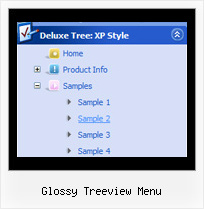
Glossy Treeview Menu by Deluxe-Tree.com
Glossy Treeview Menu


Buy Now!  Free Trial Download

Menu Screenshots Glossy Treeview Menu

Glossy Treeview Menu Javascript Trees Menu

Features Glossy Treeview Menu

Compatibility              
  • Full cross-browser compatibility including IE, Netscape, Mozilla, Opera, Firefox, Konqueror and Safari on Windows, Mac OS and Linux
  • Menu can be populated from a database using ASP, PHP, etc.
  • Search engine friendly
  • Support for any doctypes
  • Fits for secure sites
Seamless Integration
  • Visible over flash, select boxes, iframes, java applets
  • Multiple menus on the same page
  • Amicable to other scripts and css styles
  • Any HTML code can be used inside menu items
Links That Drop Down Tree Glossy Treeview Menu
High Performance
  • AJAX menu loading - loads web menu data from the server "on-the-fly".
  • Commonly loads quicker than other html page elements
  • Runs well with an unlimited number of submenus and items
Cost Effective
Unrivalled Features
  • Scrollable, dragable, floating
  • Unique Java Script API for altering menu "on-the-fly", without page reloading
  • AJAX technology - loads menu data from the server "on-fly and on-demand".
Buy Now!  Free Trial Download

Javascript Tree Menu. Expandable Menu.

  • Good navigation system is an important part of web site success. If people can't find their way around the site, they will rapidly give up looking and go, never to return. So, it's very significant that your website has a neat, fast, and gratifying to the eye navigation.
    Don't permit your web site visitors to get lost. Try Javascript/DHTML Tree!

Recent Questions Glossy Treeview Menu

Q: There is "Incorrect Copyright" message on our website in IE7. Please, help!


A: Now on your website you're using JavaScript Tree Menu v1.14.

You see "Incorrect Copyright" message because you're using old version of JavaScript Tree Menu. We've fixed this bug in the new version - v2.0.

How to upgrade to v2.00
---------------------------------------------------------------
You can download the licensed engine .js files from the same link in your license message.
JavaScript Tree Menu v2.00 has new parameters and features.
To upgrade to v2.00 you should do the following.

Step 1.
1.1 For Windows users
a. Run Deluxe Tuner v2.0
(can be found in the trial menu package v2.0
http://deluxe-menu.com/deluxe-menu.zip).
b. Open menu data file (.js file where menu parameters are placed):
select File/Open…
c. Save the file: select File/Save, then click "No" button when the dialog box appears.

1.2 For other OS users
a. Open menu data file (.js file where menu parameters are placed) in a text editor.
b. Make sure that the following variables exist in the data file:

  var keystrokes = 0;
  var dm_focus = 1;
  var dm_actKey = 113;

  var dynamic = 0;
  var smHideOnClick = 1;
  var itemAlignTop = 'left';
  var smSmartScroll = 1;

  var dmAJAX = 0;
  var dmAJAXCount = 30;
  var dmRTL = 0;
  var dmObjectsCheck = 0;
  var menuBackRepeat = "repeat";
  var menuHeight = "";
  var transDuration2 = 200;

If one of the variables doesn't exist - add it at the beginning of the file.

c. Save the file.

Step 2. Now open HTML-page that contains JavaScript Tree Menu.

Step 3. Replace existent <noscript></noscript> tags of the menu by the following code:

<noscript><a href="http://deluxe-menu.com">Javascript Menu by Deluxe-Menu.com</a></noscript>

Step 4. Save HTML-page.

Step 5. New engine v2.00 has 7 .js files.
They are:
- dmenu.js
- dmenu4.js
- dmenu_add.js
- dmenu_dyn.js
- dmenu_key.js
- dmenu_cf.js (new v2.00)
- dmenu_popup.js (new v2.00)

Replace all old .js files by the files from v2.00.

Try that.


Q: If is there any way I can give some space between pressed_item and hover item for the rollover menus

A: You can try to specify spacing parameter:

  var itemSpacing=1;

You can also try to use separators.

You should add separator between menu items:
["item","#", "", "", "", "", "", "", "", "", "", ],
["-",],
["item","#", "", "", "", "", "", "", "", "", "", ],

Use "Add Separator button in Deluxe Tuner.

Set separator parameters in the following way:
//--- Separators
  var separatorImage="";
  var separatorWidth="100%";
  var separatorHeight="2px";
  var separatorAlignment="left";
  var separatorVImage="data.files/separator.jpg";
  var separatorVWidth="2px";
  var separatorVHeight="100%";
  var separatorPadding="0px";


Q: Is dhtml menu software compatible with mac?

A: You should download free trial version on MAC:
http://deluxe-menu.com/trial-download.html
So, you'll have MAC version of JavaScript Tree Menus.

And use the licensed engine files from the licensed .zip
(you can download it from the link in your license message).

Unfortunately we don't have html version of the Tuner for Javascript/DHTML Tree
and Deluxe Tabs now. We'll try to create it in the nearest future.

You can find all templates for Javascript/DHTML Tree, Deluxe Tabs, Popup Window, Calendar in the trial package.
More info about installation and parameters you can find on our websites:
http://deluxe-menu.com
http://deluxe-menu.com/css-menu/
http://deluxe-tree.com
http://deluxe-tabs.com
http://deluxepopupwindow.com/
http://calendardatepicker.com/


Q: Can I expand all tree category, or expand two tree category?

I like your javascript menu expand product.

A: You can expand all items in Javascript/DHTML Tree, set:

  var texpanded=1;

To expand specific items you should add "+" sign before item's text:

["+Samples Gallery","", "", "", "", "XP Title Tip", "", "1", "0", "", ],
 ["|+Samples Block 1","", "default.files/icon3_s.gif", "default.files/icon3_so.gif", "", "", "", "", "", "", ],
   ["||New Sample 1","testlink.htm", "default.files/iconarrs.gif", "", "", "", "", "", "", "", ],
   ["||New Sample 2","testlink.htm", "default.files/iconarrs.gif", "", "", "", "", "", "", "", ],