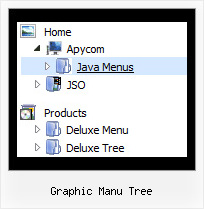
Graphic Manu Tree by Deluxe-Tree.com
Graphic Manu Tree


Buy Now!  Free Trial Download

Menu Screenshots Graphic Manu Tree

Graphic Manu Tree Tree Expanding Menu Tutorial

Features Graphic Manu Tree

Compatibility              
  • Full cross-browser compatibility including IE, Netscape, Mozilla, Opera, Firefox, Konqueror and Safari on Windows, Mac OS and Linux
  • Menu can be populated from a database using ASP, PHP, etc.
  • Search engine friendly
  • Support for any doctypes
  • Fits for secure sites
Unrivalled Features
  • Scrollable, dragable, floating
  • Unique Java Script API for altering menu "on-the-fly", without page reloading
  • AJAX technology - loads menu data from the server "on-fly and on-demand".
Popup Menu Tree Graphic Manu Tree
Seamless Integration
  • Visible over flash, select boxes, iframes, java applets
  • Multiple menus on the same page
  • Amicable to other scripts and css styles
  • Any HTML code can be used inside menu items
Easy Setup
  • De Luxe Tuner. GUI interface to create your graphic manu tree menus easily and in no time
  • Sensible menu parameters for manual editing
High Performance
  • AJAX menu loading - loads web menu data from the server "on-the-fly".
  • Commonly loads quicker than other html page elements
  • Runs well with an unlimited number of submenus and items
Buy Now!  Free Trial Download

Javascript Tree Menu. Expandable Menu.

  • Use images for backgrounds of submenus and items, icons, arrows.
  • Use any amount of menus on a single page.
  • Place any HTML code within the menu item - be it a flash-object, form, picture, or text. This ability lets you to build various menus of any complexity. You can create 3-state icons for each item: normal state, mouseover state, expanded state. After clicking on menu item selected item becomes highlighted.

Recent Questions Graphic Manu Tree

Q: I'm trying out your menus, and I seem to have a problem with changing the title of a menu item. If the text is something like "Create a New Event" the entire menu spreads out and the rollover image starts replicating itself behind it, instead fo stretching with the text. So I see 1 /2 rollover images for that top level item, instead of just the one, width it's width spread out to accomodate the extra text.

I've tried the Styles bit, but that doesn't seem to fix the rollover image any...

Any pointers ?


A: You can try to set the exact width for each menu item using IndividualItem Styles.

You should use Individual Item Styles.
For example:
  var itemStyles = [
["itemWidth=120","itemBorderWidth=1","itemBorderStyle=solid,solid"], //style0
["itemWidth=100","itemBorderWidth=1","itemBorderStyle=solid,solid"], //style1
["itemWidth=130","itemBorderWidth=1","itemBorderStyle=solid,solid"], //style2
["itemWidth=150","itemBorderWidth=1","itemBorderStyle=solid,solid"], //style3
];

["Home","testlink.htm"],
["Samples","testlink.htm"],
 ["|Group 1","", , , , , "0", , , ],
 ["|Group 2","", , , , , "1", , , ],
 ["|Group 3","", , , , , "2", , , ],

...
[" More Samples","testlink.htm"],
 ["|Group 1","", , , , , "3", , , ],
 ["|Group 2","", , , , , "1", , , ],

Where "0", "1", "2", "3" - style number in itemStyles.

You also should check the width of your rollover image. It should bethe same width as your items.

You can also use
tags in the item text, for example:

  var menuItems = [
["line 1
line 2"],
];

Or you can set this parameter:

  var noWrap=0;

Try that.


Q: Is dhtml menu software compatible with mac?

A: You should download free trial version on MAC:
http://deluxe-menu.com/trial-download.html
So, you'll have MAC version of JavaScript Tree Menus.

And use the licensed engine files from the licensed .zip
(you can download it from the link in your license message).

Unfortunately we don't have html version of the Tuner for Javascript/DHTML Tree
and Deluxe Tabs now. We'll try to create it in the nearest future.

You can find all templates for Javascript/DHTML Tree, Deluxe Tabs, Popup Window, Calendar in the trial package.
More info about installation and parameters you can find on our websites:
http://deluxe-menu.com
http://deluxe-menu.com/css-menu/
http://deluxe-tree.com
http://deluxe-tabs.com
http://deluxepopupwindow.com/
http://calendardatepicker.com/


Q: I use Deluxe-Menu on my website and the nag message "Incorrect Copyright" appears in MS-Explorer V6 (not in Firefox though). How can I fix that?


A: Now you have:

<noscript>

<a href=http://deluxe-menu.com/><br><p>Javascript Menu by Deluxe-Menu.com</a></noscript>

You should write NOSCRIPT tag in the single line:

<noscript><a href=http://deluxe-menu.com/><p>Javascript Menu by Deluxe-Menu.com</a></p></noscript>


Q: I am having a problem trying to figure out how to generate a link to a popup window.
I looked at what you have on your site but it is not clear to me.


A: You can show the popup window when you hover, click or mouseout on some elements on your
page. For example you've added an image in your html page. You should specify the ID for it, for example:

<p><img id="open_popup" border="0" src="images/submenu-bg.gif" width="170" height="29"></p>
In the Deluxe Tuner you should enter 'open_popup' object ID in the onMouseOver,
onClick or onMouseOut fields.

Actually you can assign id to any object on your page manually. You should specify ID's - id="xxxx"
for <a>, <div>, <img> ... tags.

Or you want to open a popup onMouseover, onClick or onMouseout on a link.

So, you should create a link (you can also use other object) on your page and set id="" for it,
forexample:

<a href="javascript:;" id="link">Open popup OnClick</a>
<a href="javascript:;" id="over">Open popup OnMouseover</a>
<a href="javascript:;" id="out">Open popup OnMouseOut</a>

In Deluxe Tuner you should set:
onMouseOver - over
onMouseOut - out
onClick - link

If you want to show the popup when your page loads you should leave these fields empty:
onMouseOver:"",
onMouseOut:"",
onClick:"",