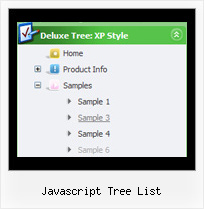
Template: Javascript Tree List
XP Style Silver Movable Tree View Menu
Movable Tree View Menu
Try to move the menu using the top spacer above the menu (drag-n-drop. Parameter: var tmoveable). Selected Item
- Click on any item.
The test page is opened and selected item is highlighted (parameter: var ttoggleMode).
- You can also set a default selected item by placing '>' symbol before a text of the item.
Movable Tree View Menu
Try to move the menu using the top spacer above the menu (drag-n-drop. Parameter: var tmoveable). Selected Item
- Click on any item.
The test page is opened and selected item is highlighted (parameter: var ttoggleMode).
- You can also set a default selected item by placing '>' symbol before a text of the item.
Key features:
- Filters and Transitional effects
- Submenus automatically scrolls
- Unlimited number of sub levels
- Vertical orientation of the Tree Menu
- Items with icons
- Relative/Absolute menu position
- Several menus on one page
- Image arrows
- Filters and Transitional effects
- Submenus automatically scrolls
- Unlimited number of sub levels
- Vertical orientation of the Tree Menu
- Items with icons
- Relative/Absolute menu position
- Several menus on one page
- Image arrows