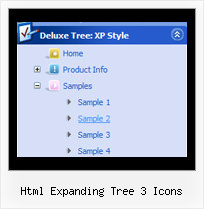
Recent Questions Html Expanding Tree 3 Icons
Q: We are facing a problem with display of deluxe menu in Internet explorer 7.0
Java script menuis displaying fine in Mozilla Firefox & Internet Exploer 6.0.
A: Your browser has JavaScript option disabled.
It means that no one JavaScript element can be run.
You should to enable JavaScript in IE:
Tools -> Internet Options -> Security -> Custom level... -> Scripting -> Active Scripting = Enable
There is no way to enable these preferences automatically, in othercase there are no reasons to create security preferences.
You can use search engine friendly code, so you'll see all yourlinks (for the main items and submenus) when your security settings in IE doesn't allow Javascript.
You can generate search engine friendly code.
JavaScript Tree Menu is a search engine friendly menu since v1.12.
To create a search engine friendly menu you should add additional html code within your html page:
<div id="dmlinks">
<a href="menu_link1">menu_item_text1</a>
<a href="menu_link2">menu_item_text2</a>
...etc.
</div>
To generate such a code use Deluxe Tuner application.
You can find this GUI in the trial package.
Run Tuner, load your menu and click Tools/Generate SE-friendly Code (F3).
Q: I have one more question before I purchase a license: is there a way to use images instead of text as the javascript menu object items?
A: Yes, you can create image-based menu.
If item text is empty, icon fields will be used as item images.
For example:
["", "index.html", "itemImageNormal.gif", "itemImageOver.gif", "Home Page"]
Q: I'm trying out your cool dropdown menu code.
I'm trying to rebuild my menu like this one
http://deluxe-menu.com/data-templates/vista-style-3-03-template-sample.html
I have a problem. In my case, I have some really long labels and some short ones. In some cases my text is larger than the button (see attachment). In your example all the buttons have the same width. Is it possible to have a Vista styled menu with different width for the buttons?
A: See images in Vista Templates have the fixed width and height (92 x 21).
If you want to change items' width/height you should change images.
btn_cyan.gif
btn_cyan2.gif
You can do it in any graph editor, for example in Adobe PhotoShop.
You should also change items width in your Individual Item Style.
var itemStyles = [
["itemWidth=92px","itemBorderWidth=0","fontStyle=normal 11pxTahoma","fontColor=#FFFFFF,#FFFFFF","itemBackImage=btn_cyan.gif,btn_cyan2.gif"],
];
You can do it in Deluxe Tuner.
Q: Where I, that the Submenue of my javascript menu vertical doesn't vanish so quickly, can put in. I want to fade it somewhat later.
A: Try to use the following parameter: var transDuration = 500;