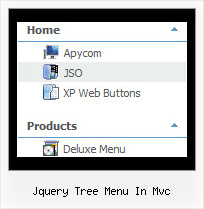
Font, Colors, Borders, Images - Use any available font style; - Use any available border style and width; - Use any color for items background, menu background, font, and borders; - Assign images to icons, menu, items backgrounds. Lines Assign your own images for lines.
Key features:
- Status string shows item labels - different speed for an animation for submenus - Image arrows - Each item can have individual settings - Movable and floatable menu - Submenus have a fade effect - 3-state icons for each item - Submenus automatically scrolls
Good navigation is an important step to website success. If people can't find their way around the site, they will quickly give up looking and leave, never to return. So, it's absolute vital that your website has a fast, neat, and eye-pleasing navigation. Don't allow your website visitors to get lost. Try Javascript/DHTML Tree Menu!
Q: I would like to know how to put the items for the popup menu on multiple lines (i.e. create a line feed), how do I tell my code to start a new menu item on the NEXT line?
A:There are 2 ways to do that:
1. set
var noWrap=0;
2. use tags, for example:
var menuItems = [ ["|Here is where <br> I would like to have a line<br> feed",,"","", "", "", "", "", "", "", "",], ];
Q: I'm a having an issue with my dhtml dropdown menus poping-up behind a flash object on a page. The key to this issue is that the menus work perfectly in our non-secure (HTTP) development environment, but do not work correctly on our secure (HTTPS) beta environment. The code on the 2 environments is exactly the same, and the beta environment does work when viewed in HTTP. Both the flash object and the Deluxe-Menu are called using relative paths, not absolute paths.
Please let me know what additional information you need from me. I appreciate any help you can provide.
A: Check that you're using latest version of engine files - v3.3.
You should add "opaque" parameter for <object> and <embed> tags.
See, how you should install flash on your pages. <object classid="clsid:D27CDB6E-AE6D-11cf-96B8-444553540000" codebase="http://download.macromedia.com/pub/shockwave/cabs/flash/swflash.cab#version=6,0,0,0" height="150" width="732" name="if-header"> <param name="movie" value="images/flash/if-header.swf"> <param name="quality" value="best"> <param name="play" value="true"> <param name="wmode" value="opaque"> <embed height="150" name="if-header" pluginspage="http://www.macromedia.com/go/getflashplayer" src="images/flash/if-header.swf" type="application/x-shockwave-flash" width="732" quality="best" wmode="opaque" play="true"> </object>
Q: How do I make the vertical navigation bar display in Chinese?
A: You should open your data file in Deluxe Tuner.Set "Tools/Use utf8 encode" option in Deluxe Tuner.
And then replace all English words with Chinese.
You can also do it in any text editor.
Q: How can I upgrade to JavaScript Tree Menu v2.0? Now I'm using v1.14.
A: How to upgrade to v2.00 --------------------------------------------------------------- You can download the licensed engine .js files from the same link in your license message. JavaScript Tree Menu v2.00 has new parameters and features. To upgrade to v2.00 you should do the following.
Step 1. 1.1 For Windows users a. Run Deluxe Tuner v2.0 (can be found in the trial menu package v2.0 http://deluxe-menu.com/deluxe-menu.zip). b. Open menu data file (.js file where menu parameters are placed): select File/Open… c. Save the file: select File/Save, then click "No" button when the dialog box appears.
1.2 For other OS users a. Open menu data file (.js file where menu parameters are placed) in a text editor. b. Make sure that the following variables exist in the data file:
var keystrokes = 0; var dm_focus = 1; var dm_actKey = 113;
var dynamic = 0; var smHideOnClick = 1; var itemAlignTop = 'left'; var smSmartScroll = 1;
var dmAJAX = 0; var dmAJAXCount = 30; var dmRTL = 0; var dmObjectsCheck = 0; var menuBackRepeat = "repeat"; var menuHeight = ""; var transDuration2 = 200;
If one of the variables doesn't exist - add it at the beginning of the file.
c. Save the file.
Step 2. Now open HTML-page that contains JavaScript Tree Menu.
Step 3. Replace existent tags of the menu by the following code:
Step 4. Save HTML-page.
Step 5. New engine v2.00 has 7 .js files. They are: - dmenu.js - dmenu4.js - dmenu_add.js - dmenu_dyn.js - dmenu_key.js - dmenu_cf.js (new v2.00) - dmenu_popup.js (new v2.00)
Replace all old .js files by the files from v2.00.