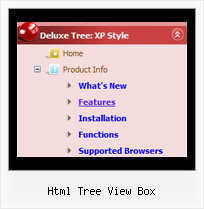
Html Tree View Box by Deluxe-Tree.com
Html Tree View Box


Buy Now!  Free Trial Download

Menu Screenshots Html Tree View Box

Html Tree View Box Javascript Tree Rolldown

Features Html Tree View Box

Seamless Integration
  • Visible over flash, select boxes, iframes, java applets
  • Multiple menus on the same page
  • Amicable to other scripts and css styles
  • Any HTML code can be used inside menu items
Professional Look-n-feel
  • Entirely customizable look-n-feel
  • A lot of pre-designed html tree view box samples
  • Hundreds of visual effects
  • Custom CSS styles can be applied for all menu settings
Horizontal Tree Menu Html Tree View Box
Easy Setup
  • De Luxe Tuner. GUI interface to create your html tree view box menus easily and in no time
  • Sensible menu parameters for manual editing
Unrivalled Features
  • Scrollable, dragable, floating
  • Unique Java Script API for altering menu "on-the-fly", without page reloading
  • AJAX technology - loads menu data from the server "on-fly and on-demand".
Cost Effective
Buy Now!  Free Trial Download

Javascript Tree Menu. Expandable Menu.

  • Good navigation system is an important part of web site success. If people can't find their way around the site, they will rapidly give up looking and go, never to return. So, it's very significant that your website has a neat, fast, and gratifying to the eye navigation.
    Don't permit your web site visitors to get lost. Try Javascript/DHTML Tree!

Recent Questions Html Tree View Box

Q: Compliments on your product, I particularly enjoy the complete set of gui and java, that allows for the quick changes.

After a couple of months of using the trial, I have now purchased it and installed the license.

My question however regards the performance of the menu. Using firebug I note that my deluxe menu .js are the performance bottlenecks, It appears as if they are not being cached and it appears that collecting them is taking longer then the other .js files. What can I do to optimize the load time of the javascript multi level menu and prevent, reloading it from the server with every page reload. The apache has set the expiry correct I believe, as I understand from the header.

A: You can try to use AJAX technology.

AJAX-like technology: data for submenus can be loaded "on-the-fly" from the server.

New parameter:
  var tajax = 0/1; - disables/enables AJAX-like support

Current syntax for item parameters (  var tmenuItems):
[text, link, iconNormal, iconOver, iconExpanded, tip, target, itemStyleInd, itemXPStyleInd, jsFileName]

Where jsFileName - .js filename on the server with submenu items (  var tmenuItems).


Q: I have built a menu with deluxe menu and I have put everything in the same map but the page doesn't display the drop down menu it says there is an error. Could you look what I do wrong?

A: It is not correctly to write local paths on your website. They won'twork:

<script type="text/javascript" src="file:///C:/Test%20website%202008/x5/data.js"></script></td>

You should upload your data.js file in the same folder with yourdmenu.js file and write:

<script type="text/javascript" src="data.files/data.js"></script></td>


Q: Once I have an answer form your reseller as to why the VAT doesn't correspond with my country's rate, I think that there is a very strong possibility that I will be investing in this impressive menu-builder. I do have a couple of questions which don't seem to be answered anywhere:

1: is it possible to configure the menu so that the person browsing the site previously-visited javascript menu links can be identified by say using a different font colour for visited 'pages'?

2: the section of the web page in which the menu is located is called by a SSI for each new page that the browser visits - will the menu rest each time the Included file is called, or will it persist from page to page?

A: > 1: is it possible to configure the menu so that the person browsing> the site previously-visited javascript menu links can be identified by say using a > different font colour for visited 'pages'?
You can find more info here:
http://www.deluxe-menu.com/highlighted-items-sample.html

JavaScript Tree Menu has only two states normal and mouseover.

Try to do the following things:

- delete   var pressedItem=1; parameter from your data file
- set correct parameter on each page before you call data file, forexample:

<noscript><a href="http://deluxe-menu.com">Javascript Menu by Deluxe-Menu.com</a></noscript>
<script type="text/javascript">  var dmWorkPath = "menudir/";</script>
<script type="text/javascript" src="menudir/dmenu.js"></script>
<script type="text/javascript">  var pressedItem=3;</script>
...
<script type="text/javascript" src="menudir/data.js"></script>

You can also set a pressed item using Javascript API:

function dm_ext_setPressedItem (menuInd, submenuInd, itemInd, recursion)

Sets a current pressed item.
menuInd - index of a menu on a page, >= 0.
submenuInd - index of a submenu, >= 0.
itemInd - index of an item, >=0.
recursion = true/false - highlight parent items.

But notice, to use dm_ext_setPressedItem() you should know ID of selected item and subitem.
You can't get this ID after you reload your page. That is why you should write your own code on PHP.

See the attached example. Open deluxe-menu1.html. The first item ishighlighted. Then click to open deluxe-menu2.html file. The second item ishighlighted.

> 2: the section of the web page in which the menu is located is called> by a SSI for each new page that the browser visits - will the menu > rest each time the Included file is called, or will it persist from > page to page?

JavaScript Tree Menu is the Javascript product. It means that it works on aclient side only and it doesn't depend on the server which you'reusing and it doesn't work on a server side as SSI script.
So when your browser reloads a page with the menu your menu reloads too.


Q: I'm trying out the cross-browser (top to bottom) drop down menu and I was wondering if it was possible to have the top bar (the main items) use a background image while the sub-items beneath used a plain background color and no image?

So far I've gotten them to either both use a background image, or both use a background color. Any advice would be greatly appreciated. :)

A: Actually you can create any menu you like with JavaScript Tree Menu.

You can use Individual Styles to set background image for the items

  var itemStyles = [
["itemWidth=92px","itemBackImage=deluxe-menu.files/btn_black.gif,deluxe-menu.files/btn_black_blue.gif"],
];

oryou can use images instead of icons (you should delete item's text).

["","", "deluxe-menu.files/btn_black.gif", "deluxe-menu.files/btn_black_green.gif", "", "", "", "", "", ],