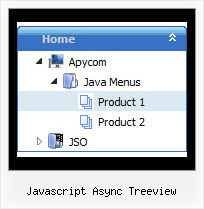
Recent Questions Javascript Async Treeview
Q: I know. I have two menus on the page and I am not using beforeItemImage orafterItemImage for the top menu in javascript (the one you referenced below), but I need it for the second menu. The parameters for that menu are in mainnav_data.js.
Even when I only call dmWorkPath and dmenu.js once, it does not work.
A: See, it is not correctly to use image-based items:
["","", "mainnav_data.files/corpinfo.gif", "mainnav_data.files/corpinfo2.gif", "", "_self", "0", "", "", "", "", ],
and specify beforeItemImage/afterItemImage parameters. They won't work in that case.
You can create such buttons in the following ways:
1) Use image-based menu (images with text).
Create normal and mouse-over state images (with text) for each item:
["","", "mainnav_data.files/corpinfo.gif", "mainnav_data.files/corpinfo2.gif", "", "_self", "", "", "", "", "", ],
["","", "mainnav_data.files/new.gif", "mainnav_data.files/new2.gif", "", "_self", "", "", "", "", "", ],
["","", "mainnav_data.files/xxxxx.gif", "mainnav_data.files/xxxxx2.gif", "", "_self", "", "", "", "", "", ],
2) Use combined background for the menu in javascript items (images without text).
var beforeItemImage = [,]; //left-side image for normal and mouse over state
var itemBackImage = [,]; //background or image for normal and mouse over state
var afterItemImage = [,]; //right-side image for normal and mouse over state
var beforeItemImageW = '';
var afterItemImageW = '';
var beforeItemImageH = '';
var afterItemImageH ='';
But you should create a small images in any Graph Editor, for example:
button_n_back.gif
button_n_left.gif
button_n_right.gif
button_o_back.gif
button_o_left.gif
button_o_right.gif
You cannot use these two methods together!Q: Is this something I can adjust ...or make submenus were you can't see through them?
A: Try to set the following parameter:
var transparency=100;
Q: I have used for your software for Menu creation(Trial version). We integrated it in our appliaction running good on IE 6. It has some whitespaces also. Menu using dhtml is not displayed in IE 7 when integrated in our application. When we call your html directly in IE 7 then it displays.
In Mozilla ,menu is displayed but without transitional Effects.
I am interest buy your software. If we are assured that above issues will be fixed in licensed version.
A: > Menu using dhtml is not displayed in IE 7 when integrated in our application.Try to set exact width for the menu, for example: var menuWidth="300px";
> In Mozilla, menu using dhtml is displayed but without transitional Effects.Filters and transitional effects are features of Internet Explorer5.5+ only.
See more info here:
http://www.deluxe-menu.com/filters-and-effects-sample.html
Q: We really like your deluxe menu product and are interested in making a multiple website license purchase.
In our current production environment, we build sites on a local machine (no domain) and move the files/sites to multiple servers depending on where the domain is being hosted.
Do we have to reconfigure the domain key each time we move deluxe menu related site files from the actual domain server to our local production environment and back again?
A: Notice your key will work on registered domain only. It won't work onlocal machine.
If you want to use the menu on the local production environment youshould buy Developer License.
The Developer license you can use the menu on an unlimited number of Internet or Intranet sites and on the local machines.
This version of the script doesn't check keys and it isn't bound to adomain name.