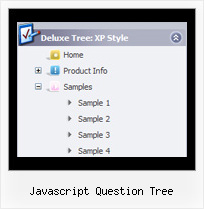
Javascript Question Tree by Deluxe-Tree.com
Javascript Question Tree


Buy Now!  Free Trial Download

Menu Screenshots Javascript Question Tree

Javascript Question Tree Menu Sample Tree

Features Javascript Question Tree

Compatibility              
  • Full cross-browser compatibility including IE, Netscape, Mozilla, Opera, Firefox, Konqueror and Safari on Windows, Mac OS and Linux
  • Menu can be populated from a database using ASP, PHP, etc.
  • Search engine friendly
  • Support for any doctypes
  • Fits for secure sites
Professional Look-n-feel
  • Entirely customizable look-n-feel
  • A lot of pre-designed javascript question tree samples
  • Hundreds of visual effects
  • Custom CSS styles can be applied for all menu settings
Tree Scroll Down Menus Javascript Question Tree
Seamless Integration
  • Visible over flash, select boxes, iframes, java applets
  • Multiple menus on the same page
  • Amicable to other scripts and css styles
  • Any HTML code can be used inside menu items
High Performance
  • AJAX menu loading - loads web menu data from the server "on-the-fly".
  • Commonly loads quicker than other html page elements
  • Runs well with an unlimited number of submenus and items
Cost Effective
Buy Now!  Free Trial Download

Javascript Tree Menu. Expandable Menu.

  • These effects will make your menu more attractive and stylish. Among available transitional effects there are such as fade, mosaic, random dissolve, slide out and many others.
  • Create individual styles and assign them to any submenu and item. Use individual styles to achieve stunning effects!

Recent Questions Javascript Question Tree

Q: Hello, I am using your tabs product inside an ASP.NET AJAX update Panel. The problem is, after an async postback occurs, the php dhtml menu tabs no longer show. Do I need to make user a specific function is called/registered??? Please help.

A: Try to call your data files (files with php dhtml menu parameters) once again after each request.


Q: I bought this menu in Dec and have a problem with it in the Firefox browser. In IE it works fine, Firefox throws the menu on the right side of the page. Am I doing something wrong?

A: Try to set the exact width for the menu in "px":

  var menuWidth="500px";


Q: Can I expand all tree category, or expand two tree category?

I like your javascript menu expand product.

A: You can expand all items in Javascript/DHTML Tree, set:

  var texpanded=1;

To expand specific items you should add "+" sign before item's text:

["+Samples Gallery","", "", "", "", "XP Title Tip", "", "1", "0", "", ],
 ["|+Samples Block 1","", "default.files/icon3_s.gif", "default.files/icon3_so.gif", "", "", "", "", "", "", ],
   ["||New Sample 1","testlink.htm", "default.files/iconarrs.gif", "", "", "", "", "", "", "", ],
   ["||New Sample 2","testlink.htm", "default.files/iconarrs.gif", "", "", "", "", "", "", "", ],


Q: I got it to work ... but I can't make the javascript menu bars locate where I want it on the page.

A: Check that you use relative position for the menu

  var absolutePos=0;
  var posX="0px";
  var posY="0px";

You can install the menu in DIV or Table, for example:

<div align=center>
<script type="text/javascript" src="deluxe-menu/data.js"></script>
</div>

You can send us a copy of your html page (including .js files) ora direct link to your website, so we can check it.