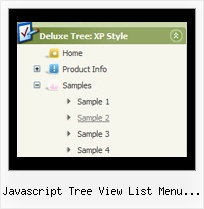
Recent Questions Javascript Tree View List Menu Examples
Q: I use your product for one of my clients and so I am familiar with using Deluxe Tuner on the Mac and editing that menu, etc. It is a simple menu though, that doesn't use any images or anything fancy.
I want to purchase the javascript nav menu for another client.
My question is, he loves that tabbed javascript nav menu I originally did, and right now they are in one big image map. I can cut them up, but with your menu software, will I be able I to have the top menu as those tab images, and the sub-menu show on mouseover as just plain text? (Like SigmaFlow's sub-menus.)
Any advice is appreciated. Thank you!
A: Yes, of course, I don't see any problem with it.
You can use any images as item background, see for example:
http://deluxe-menu.com/data-templates/vista-style-01-template-sample.html
Q: I am interested in buying your XP Style Blue XP Style JavaScript Menu Tree.
Please let me know how can I use in offline projects (CD Based) and whether I can change the vertical type java pulldown menu into horizontal type.
Also let me know the price for the same
Looking forward for your fast reply
A: Javascript/DHTML Tree is vertical menu, http://deluxe-tree.com. You cannot create horizontal tree menu.
If you want to create horizontal menu you can use JavaScript Tree Menu,http://deluxe-menu.com
To use JavaScript Tree Menus on CD/DVD you should buy developerlicense.
JavaScript Tree Menu & Tree & Tabs & Popup Window & Calendar DeveloperLicense - $299.95.
Other licenses allow you to use the java pulldown menu on Internet/Intranetwebsites only.
Q: I just purchased your JavaScript Tree Menu maker. Wonderful tool!
I have made a menu, uploaded it to my HTML folder at Typepad in the correct place and tried several OTHER places too.
I have inserted the js snips into the head and body in all permutations of combinations.
I checked it each time by both opening my site and viewing source.
The menu is there. But it cannot be seen on the page. Never has been seen. Not even a hint of it being there.
I tried .js .file AND .js AND CSS.
No menu.
I checked on four browsers.
No menu.
I verified the files are in my index place by copying them to notebook.
I have done all of the above about 20 times EACH.
A: See, now you have:
<title>The Steel Deal - an oasis of reason in a sea of insanity.</title>
<!-- JavaScript Tree Menu -->
<noscript><a href="http://deluxe-menu.com">Javascript Menu by Deluxe-Menu.com</a></noscript>
<script type="text/javascript"> var dmWorkPath = "/";</script>
<script type="text/javascript" src="dmenu.js"></script>
<!-- (c) 2007, by Deluxe-Menu.com -->
....
<meta name="verify-v1" content="VP25uY4F2NriQQhn7R3wK4aeYoMZpbafF+kkwx+vze4=" />
<!-- JavaScript Tree Menu -->
<noscript><a href="http://deluxe-menu.com">Javascript Menu by Deluxe-Menu.com</a></noscript>
<script type="text/javascript"> var dmWorkPath = "/";</script>
<script type="text/javascript" src="/dmenu.js"></script>
<!-- (c) 2007, by Deluxe-Menu.com -->
</head>
It is not correct. You should call dmenu.js file only once.
Please, delete the second code.
There is now engine .js files
dmenu.js
dmenu4.js
dmenu_add.js
dmenu_dyn.js
dmenu_key.js
dmenu_cf.js
dmenu_popup.js
dmenu_ajax.js
and data file on your server.
Q: I have tried changing every menu variable I can see to make the actual iconbackground a different color than the menu items background with no success.Is this possible?
I would like the icon background to change with the alternating colors byrow .. and I know how to do this. but when I do it .. all the menus andsubmenus also change and I would like their background to stay white.
A: Yes, it's possible.
You should use an individual style for icon item, please see
deluxe-menu.com/individual-styles-sample.html
deluxe-menu.com/individual-submenu-styles-info.html