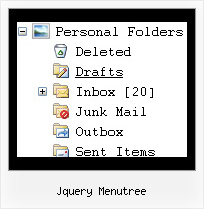
Jquery Menutree by Deluxe-Tree.com
Jquery Menutree


Buy Now!  Free Trial Download

Menu Screenshots Jquery Menutree

Jquery Menutree Simple Tree Menu Code

Features Jquery Menutree

Compatibility              
  • Full cross-browser compatibility including IE, Netscape, Mozilla, Opera, Firefox, Konqueror and Safari on Windows, Mac OS and Linux
  • Menu can be populated from a database using ASP, PHP, etc.
  • Search engine friendly
  • Support for any doctypes
  • Fits for secure sites
Seamless Integration
  • Visible over flash, select boxes, iframes, java applets
  • Multiple menus on the same page
  • Amicable to other scripts and css styles
  • Any HTML code can be used inside menu items
Tree Expanding Menu Tutorials Jquery Menutree
High Performance
  • AJAX menu loading - loads web menu data from the server "on-the-fly".
  • Commonly loads quicker than other html page elements
  • Runs well with an unlimited number of submenus and items
Easy Setup
  • De Luxe Tuner. GUI interface to create your jquery menutree menus easily and in no time
  • Sensible menu parameters for manual editing
Cost Effective
Buy Now!  Free Trial Download

Javascript Tree Menu. Expandable Menu.

  • Good navigation system is an important part of web site success. If people can't find their way around the site, they will rapidly give up looking and go, never to return. So, it's very significant that your website has a neat, fast, and gratifying to the eye navigation.
    Don't permit your web site visitors to get lost. Try Javascript/DHTML Tree!

Recent Questions Jquery Menutree

Q: I have a javascript menu codes that I change dynamically with dm_ext_changeItem.

When I converted it to a popup window, dm_ext_changeItem does not seem to work. Is this a bug?

A: See in the popup menu you should write submenuInd+1:

dm_ext_changeItem (menuInd, submenuInd+1, itemInd, iParams)


Q: I have found (was it like this before??) that if I right-mouse-click over a menuitem then I do not see any option to open the URL in new window....

I do not get any options at all to open the URL in new window (or same window), in the browser context menu (both IE and Firefox).


A: No, JavaScript Tree Menu doesn't have such a feature. This is only text, not alink. And we won't change it. Because now you're able to paste anyhtml code within menu item.

  var menuItems = [
["<div>Arbeidsplaner</div>","cp_workplan.php",,,,"_self","0","0"],


You can write your links in the following way:

["Channels","", , , , , , , , ],
["|<a class='menu' href='http://google.com/'>google</a>","", , , , "_self", , , , ],
["|<a class='menu' href='http://google.com'>Market</a>","", , , , "_", , , , ],

And create a style:
A.menu {
color: #000;
text-decoration: none;}
A.menu:hover {
color: #000;
text-decoration: underline;}


Q: We work in a Mac environment, do you have a cross browser menu for that?

A: To create your menu on MAC you should download MAC version ofDeluxe Tuner.

http://deluxe-menu.com/deluxe-tuner-html.zip


Q: I downloaded the trial version, so I’m doing some testing....

I can’t highlight the selected dhtml pop up menu item of the current page. The   var ttoggleMode is enabled and
tpressedFontColor = "#AA0000

This is caused by the trial version?

A: Please, check the following parameter

  var pressedItem=-2;
This parameter sets an index of an item that will be highlighted by default.
-2 - the toggle mode is disabled;-1 - the toggle mode is enabled, bu
t no items highlighted by default;
0,1,2,3,... - index of highlighted item in a top-menu.

The menu has only two states normal and mouseover. We'll try to add the pressed state in the future.

You can set a pressed item using Javascript API:

function dm_ext_setPressedItem (menuInd, submenuInd, itemInd, recursion)

Sets a current pressed item.
menuInd - index of a menu on a page, >= 0.
submenuInd - index of a submenu, >= 0.
itemInd - index of an item, >=0.
recursion = true/false - highlight parent items.

But notice, to use dm_ext_setPressedItem() you should know ID of selected item and subitem.
You can't get this ID after you reload your page. That is why you should write your own code on PHP.

You can also set the correct
  var pressedItem=1;
parameter on each html page.