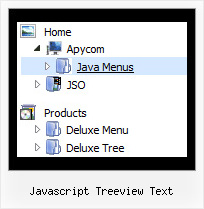
Recent Questions Javascript Treeview Text
Q: All dhtml dropdown menu links opens in a new window even when they're configured to open in the same page (or another frame).
A: Check the following dhtml dropdown menu parameters:
var itemTarget="_self";
["menu item","link.htm", "", "","Tip", "_self", "", "", "", "", "", ],
Q: We currentlly have a menu that uses standard html hyperlinks to open a new window with _blank as the target. Unfortunately, the size of the window is controlled by the browser and we want to be able to control it. The only way that we know how to do that is to use the window.open client-side function and pass the window's dimensions. Here is a sample of the code that would do that:
window.open("url","_blank","height=1024,width=768,status=yes,toolbar=no,menubar=no,location=no");
How can we add the javascript code to the dhtml menu vertical instead of a link? Do you have any samples?
A: You can use javascript code within menuItems, for example
Write:
["Test Window","javascript:window.open('http://www.microsoft.com','_blank','height=1024,width=768,status=yes,toolbar=no,menubar=no,location=no');", , ,'Monitor Exceptions' , , '0', '0',,],
Q: I am testing out your menu system as I try to redesign my site. It is a vertical menu with submenus.
I have hundreds of pages in my site and I'd like to be able to attach your menu system to all of them.
However, I will be making changes to the menu system on a regular basis.
I do not want to go change every program in the site each time I need to make a menu change.
I was hoping you could give me some kind of programming code that I could enter into the <body> section of my html files which would automatically read a file into my prograrm, which contained the menu code.
This way when a menu change is needed, I edit one file, all the programs read that file and display the menu.
As an example of the code I would want read into a webpage at start up:
<script type="text/javascript"> var dmWorkPath="files/";</script>
<script type="text/javascript" src="files/dmenu.js"></script>
<div id="dmlinks" style="font:bold 9px Verdana;color:#FFFFFF;text-decoration:none">
<a id="dmI0" HREF="500main.htm">Home</a>
<a id="dmI2" HREF="tixbbs.htm" TARGET="text">For Sale</a>
<a id="dmI4" href="testlink.html">Place Ad</a>
<a id="dmI5" href="testlink.html">Sources</a>
</div>
<script type="text/javascript" src="data-deluxe-menu.js"></script>
A: If you change the menu parameters only there is no need to change code on each page. You should only replace your old data file (data-deluxe-menu.js) with the new one.
If you don't want to install your menu on each page, you can try to use frames, the menu has a cross-frame mode.
Please, see more info about cross-frame mode here:
http://deluxe-menu.com/cross-frame-mode-sample.html
Also you can use a server-side script (php, asp, vb, etc.) to generate html pages from templates on your server.
Q: We are showing the "incorrect copyright" on our menu for some reason and I need you to look at the code. It's been this way for about a month. My company is going to make me stop using your menu if I can't get the issue corrected so please help me determine why we are suddenly having this problem.
The notice shows up on IE 6, but not IE 7.
A: "Incorrect Copyright" means that the script can't find required copyright parameters.
To avoid this, please, change:
<script type="text/javascript" language="JavaScript1.2" src="dmenu.js"></script>
to:
<!-- JavaScript Tree Menu -->
<noscript><a href="http://deluxe-menu.com">Javascript Menu by Deluxe-Menu.com</a></noscript>
<script type="text/javascript" language="JavaScript1.2" src="dmenu.js"></script>
<!-- (c) 2006, Deluxe-Menu.com, http://deluxe-menu.com -->