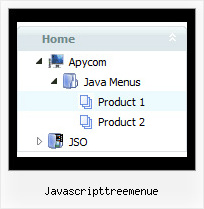
Recent Questions Javascripttreemenue
Q: Thanks for your reply, I have another question as follow, I find the tree menu just expand one tree item, if I have expanded one tree when I click it, whether I click another tree to expand it's item and the before expanded tree are maintain expanded, I don't want to close it?
A: Use the following parameters:
var tcloseExpanded = 0; - Enables the mode when 1 item only can be expanded.
0 - disabled, 1 - enabled.
var tcloseExpandedXP = 0; - Enables the mode when 1 submenu only can be expanded (XP-style).
0 - disabled, 1 - enabled.
You can also try to set the following parameter:
var texpandItemClick = 1; - 0 - expand items on a [+]-button click only;
1 - expand items on a mouse click.
See more info about menu parameters here:
http://deluxe-tree.com/parameters-info.html
Q: Can your menu, when placed in a master page, be propagated throughout an application's sub-folders
or will the html menu need to be added to each page separately?
A: If you don't want to create your menu on each page you can use a
server-side script (php, asp, vb, etc.) to generate html pages from
templates on your server.
However, these scripts don't work inside of Javascript .js files, so,
you should move parameters of a menu from a .js file into an html-page, e.g.:
<!-- JavaScript Tree Menu -->
<noscript><a href="http://deluxe-menu.com">Javascript Menu by Deluxe-Menu.com</a></noscript>
<script type="text/javascript"> var dmWorkPath = "menudir/";</script>
<script type="text/javascript" src="menudir/dmenu.js"></script>
<!-- (c) 2006, http://deluxe-menu.com -->
<script type="text/javascript" language="JavaScript1.2">
// and describe parameters of a menu
var parameter1=value1;
var parameter2=value2;
etc.
var menuItems = [
// here you generate items using server-side scripts (php, asp, vb, etc.)
];
The example of the menu working with PHP/MYSQL you can find here:
http://deluxe-menu.com/rq-loading-bar-MySQL-support.html
You can use cross frame menu. It allows you to build full-featured menus on the pages
that use frame-based structure. And it's not necessary to insert any code into all the pages -
just specify the additional parameters of the menu and initialize it.
To install the menu in a cross-frame mode, see more info here:
http://www.deluxe-menu.com/cross-frame-mode-sample.htmlQ: How can I have two menus dhtml under each other using the float option? So that do not collide with each other?
A: You can try to adjust the following parameters to the one menu:
var floatableDX=15;
var floatableDY=15;Q: The submenu should look identical to the main menu but it is not allowing this.
Even though parameters are set to 0 it is showing smart scroll and also not showing the sub menus how they should be.
I also notice and error in the templates window view when I am looking at the javascript onmouseover menu.
A: You've set the exact width for your submenus:
var smHeight="21px"; // it is the height of the whole submenu
It is not right.
Try to write:
var smHeight="";
> I also notice and error in the templates window view when I am looking
> at the menu.
Now you have:
var pressedItem="";
It is not correct. Try to set:
var pressedItem="-2";
See the attached example.