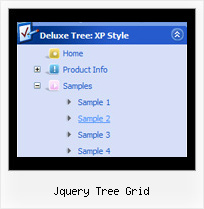
Jquery Tree Grid by Deluxe-Tree.com
Jquery Tree Grid


Buy Now!  Free Trial Download

Menu Screenshots Jquery Tree Grid

Jquery Tree Grid Tree Template Dynamic Drop Down

Features Jquery Tree Grid

Cost Effective
Compatibility              
  • Full cross-browser compatibility including IE, Netscape, Mozilla, Opera, Firefox, Konqueror and Safari on Windows, Mac OS and Linux
  • Menu can be populated from a database using ASP, PHP, etc.
  • Search engine friendly
  • Support for any doctypes
  • Fits for secure sites
Tree And Drop Down Menu Jquery Tree Grid
Seamless Integration
  • Visible over flash, select boxes, iframes, java applets
  • Multiple menus on the same page
  • Amicable to other scripts and css styles
  • Any HTML code can be used inside menu items
High Performance
  • AJAX menu loading - loads web menu data from the server "on-the-fly".
  • Commonly loads quicker than other html page elements
  • Runs well with an unlimited number of submenus and items
Easy Setup
  • De Luxe Tuner. GUI interface to create your jquery tree grid menus easily and in no time
  • Sensible menu parameters for manual editing
Buy Now!  Free Trial Download

Javascript Tree Menu. Expandable Menu.

  • These effects will make your menu more attractive and stylish. Among available transitional effects there are such as fade, mosaic, random dissolve, slide out and many others.
  • Create individual styles and assign them to any submenu and item. Use individual styles to achieve stunning effects!

Recent Questions Jquery Tree Grid

Q: I purchased the most recent version of "JavaScript Tree Menu & Tree & Tabs & Window Multiple Website License", and now can't open menus from previous versions. When I try to open a custom drop down menu that was created in an older version, I get the error:

Can't open the file:
c:\webs\ltron\ltronmenudata.js
Check youre encode parameter

This happens on all of the older menus that we're trying to update............Do I have to run some type of conversion program on older menu files?

Please let me know as quickly as possible.........we have over 100 custom drop down menus out there and now it seems that we can't edit them!

A: This message means that you should change the encoding:

"Tools/Use utf8 encode"

Change this setting and then open your data files.


Q: We purchased your deluxe menu two months ago. Right now, I try to resize the menu icon to fit our website. I changed MenuHeight, I got duplicate menu icons. I also want to change Menu Icon font, but I couldn't do it. We have your previous version menu system, As soon as we change bigger font for Menu Icon, it will be resize. I really think you sould have this function. Otherwise, I got create my own image.

A: See images in Vista Templates have the fixed width and height (92 x21).

If you want to change items' width/height you should change images.

btn_magentablack.gif
btn_magenta.gif

You can do it in any graph editor, for example in Adobe PhotoShop.

To change font in the top items you should change your Individual ItemStyle.

  var itemStyles = [
["itemWidth=92px","itemBorderWidth=0","fontStyle=normal 11px
Tahoma","fontColor=#FFFFFF,#FFFFFF","itemBackImage=data-vista-03.files/btn_magentablack.gif,data-vista-03.files/btn_magenta.gif"],
];

You can do it in Deluxe Tuner.


Q: However when recreating the menus after deleting all trace of the trial version and loading on the licensed version I have developed problems.

When I create menus and test using expression web on explorer it works well but when published to web the dropdown menu appear but cannot be clicked on to be diverted to the relevant links. Also since loading the licensed version when using the test browser in expression web firefox a message appears as follows     “firefox dosen’t know how to open this address, because the protocol (c) isn’t associated with any program”.

Please advise I have loaded the licence in the correct way I’m sure.


A: You cannot use local paths on your website. They won't work.

["Home","", "", "", "", "", "0", "0", "", ],
 ["|Localmag Homepage","C:/Documents and Settings/ME/My Documents/localmagwebsite/index.htm", "", "", "", "", "", "", "", ],
 ["|Medway Homepage","C:/Documents and Settings/ME/My Documents/localmagwebsite/medwaytowns/medwayhomepage.html", "", "", "", "", "", "", "", ],
["Charity","", "", "", "", "", "0", "", "", ],
 ["|childrens","C:/Documents and Settings/ME/My Documents/localmagwebsite/medwaytowns/charities/childrenscharities/childrens_charity_home_page.htm", "", "", "", "", "","", "", ],
 ["|medical","C:/Documents and Settings/ME/My Documents/localmagwebsite/medwaytowns/charities/medicalcharities/medical_charity_home_page.htm", "", "", "", "", "", "","", ],
 ["|religious","C:/Documents and Settings/ME/My Documents/localmagwebsite/medwaytowns/charities/religiouscharities/religious_charity_home_page.htm", "", "", "", "", "","", "", ],

You should write
["Home","", "", "", "", "", "0", "0", "", ],
 ["|Localmag Homepage","localmagwebsite/index.htm", "", "", "", "", "", "", "", ],
 ["|Medway Homepage","localmagwebsite/medwaytowns/medwayhomepage.html", "", "", "", "", "", "", "", ],
["Charity","", "", "", "", "", "0", "", "", ],
 ["|childrens","localmagwebsite/medwaytowns/charities/childrenscharities/childrens_charity_home_page.htm", "", "", "", "", "", "", "", ],
 ["|medical","localmagwebsite/medwaytowns/charities/medicalcharities/medical_charity_home_page.htm", "", "", "", "", "", "", "", ],
 ["|religious","localmagwebsite/medwaytowns/charities/religiouscharities/religious_charity_home_page.htm", "", "", "", "", "", "", "", ],


Q: I'm trying deluxe-menu, but when I'm making my own menu, I often get error messages.
It will not work. I get these messages when I use individual styles.It is a very nice program, but I think with a few bugs.


A: You have errors in your data file.
 ["|De Groese Til","", , , , , , "0", , ],
 ["|De Supermarkt","", , , , , , "0", , ],
In this items you assigned menu styles, but there is no menu style in your parameters. You have only item style.
You should write them so:
 ["|De Groese Til","", , , , , "0", , , ],  ["|De Supermarkt","", , , , , "0", , , ],