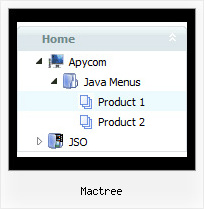
Mactree by Deluxe-Tree.com
Mactree


Buy Now!  Free Trial Download

Menu Screenshots Mactree

Mactree Simple Drop Down Menu Tree

Features Mactree

Easy Setup
  • De Luxe Tuner. GUI interface to create your mactree menus easily and in no time
  • Sensible menu parameters for manual editing
Professional Look-n-feel
  • Entirely customizable look-n-feel
  • A lot of pre-designed mactree samples
  • Hundreds of visual effects
  • Custom CSS styles can be applied for all menu settings
Tree Toolbar Buttons Mactree
Compatibility              
  • Full cross-browser compatibility including IE, Netscape, Mozilla, Opera, Firefox, Konqueror and Safari on Windows, Mac OS and Linux
  • Menu can be populated from a database using ASP, PHP, etc.
  • Search engine friendly
  • Support for any doctypes
  • Fits for secure sites
Cost Effective
High Performance
  • AJAX menu loading - loads web menu data from the server "on-the-fly".
  • Commonly loads quicker than other html page elements
  • Runs well with an unlimited number of submenus and items
Buy Now!  Free Trial Download

Javascript Tree Menu. Expandable Menu.

  • You can create any style for XP menu:
  • different icons, colors, and buttons for each submenu title;
  • any color for borders, backgrounds, and font of menus and items;
  • any available font style; and many other options!
  • Design personal styles for any submenu and item. Use individual styles to rich killer visual effects!
  • These effects will make your menu neat and chic. Among available special visual effects there are random dissolve, fade, mix, mosaic slide out and many many others.

Recent Questions Mactree

Q: I am using the GUI, and have read in your literature that you can put the HTML table in the text area of the javascript select menu item.

However, when I do this nothing displays. Can you please let me know where I a supposed to put the HTML info into the gui. I just want this to be able to show when I click the tab.

A: You should paste your content in the <div> .. </div> tags.

<div id="content1" style=" visibility: hidden;" class="tabPage">
<br><br><br>
<p align=center><img src="img/logo_DM.gif" width=262 height=56 alt="Deluxe-Menu.com"></p>
</div>

<div id="content2" style="visibility: hidden;" class="tabPage">
<br><br><br>
<p align=center><img src="img/logo_DT.gif" width=262 height=56 alt="Deluxe-Tree.com"></p>

</div>

<div id="content3" style=" visibility: hidden;" class="tabPage">
<br><br><br>
<p align=center><img src="img/logo_DTabs.gif" width=254 height=58 alt="Deluxe-Tabs.com"></p>
</div>

See in Deluxe Tabs there are two modes:

1.   var tabMode=0;
You can create only one level of tabs and assign Object Id's of theDIV's to show when you click on the tab.

["XP Tab 1","content1", "", "", "", "", "", "", "", ],
["XP Tab 2","content2", "", "", "", "", "", "", "", ],
["XP Tab 3","content3", "", "", "", "", "", "", "", ],
["XP Tab 4","content4", "", "", "", "", "", "", "", ],

2.   var tabMode=1;
You can assign only links in this mode.
You should create top level items with subitems.

["XP Tab 1","", "", "", "", "", "", "", "", ],
 ["|Link 1_1","http://deluxe-tabs.com", "", "", "", "", "0", "", "", ],
 ["|Link 1_2","testlink.htm", "", "", "", "", "0", "", "", ],
 ["|Link 1_3","testlink.htm", "", "", "", "", "0", "", "", ],
 ["|Link 1_4","testlink.htm", "", "", "", "", "0", "", "", ],
 ["|Link 1_5","testlink.htm", "", "", "", "", "0", "", "", ],
["XP Tab 2","", "", "", "", "", "", "", "", ],
 ["|Link 2_1","testlink.htm", "", "", "", "", "0", "", "", ],
 ["|Link 2_2","testlink.htm", "", "", "", "", "0", "", "", ],
 ["|Link 2_3","testlink.htm", "", "", "", "", "0", "", "", ],
 ["|Link 2_4","testlink.htm", "", "", "", "", "0", "", "", ],
 ["|Link 2_5","testlink.htm", "", "", "", "", "0", "", "", ],
["XP Tab 3","", "", "", "", "", "", "", "", ],
 ["|Link 3_1","testlink.htm", "", "", "", "", "0", "", "", ],
 ["|Link 3_2","testlink.htm", "", "", "", "", "0", "", "", ],
 ["|Link 3_3","testlink.htm", "", "", "", "", "0", "", "", ],
 ["|Link 3_4","testlink.htm", "", "", "", "", "0", "", "", ],
 ["|Link 3_5","testlink.htm", "", "", "", "", "0", "", "", ],

You can use Object ID as well as Link in both modes. Use the following prefixes within item's link field:
"object:" - means that there is object id after it;
"link:" - means that there is a link after it.
"javascript:" - means that there is a javascript code after it, for example:javascript:alert(\'Hello!\')

So, you should write for example:

 ["|Link 1_1","object:Content1_1", "", "", "", "", "0", "", "", ],


Q: Can you tell me the difference between a target and a link.

Also can you explain what self, blank, top, parent, search and custom mean in the javascript menu table please.

A: Link is the url you want to open when you click on the javascript menu table item.

Target controls where you'll open your link:
"_self" - open link in the same window
"_blank" - open link in the new window
"_parent" - will load the linked document where the inner frameset file had been
"_top" - loads the linked document in the topmost frame
custom - you should write here the name of the frame where you want to
open the linked document, for example:
"framename"
"_search" - this target causes the link to load in the browser's Search pane. (Internet Explorer 5.0 and later.)

You can find more info here:
http://www.htmlcodetutorial.com/linking/_A_TARGET.html


Q: I try to find things out.

What is the difference between itemStyles and menuStyles in dhtml menu wizard?

The look likes the same to me.

A: You should assign the menuStyles to the whole submenu (the first item in the submenu).
itemStyles you should assign for each item individually.

See more info here;
http://deluxe-menu.com/individual-item-styles-info.html
http://deluxe-menu.com/individual-submenu-styles-info.html


Q: I am setting a menu up for popupMode=1 and adding the javascript to respond to the onContextMenu action. When it pops up I am having to immediately move the mouse over the menu to keep it visible. Is there any way to keep the menu from doing this?


A: You can try to play with these parameters:

  var smShowPause=200;
  var smHidePause=1000;